Hooq help centre

Sprints
The Sprints tab can copy sprint events between the two sides: create, start, update, close and delete. It is off until you switch it on.
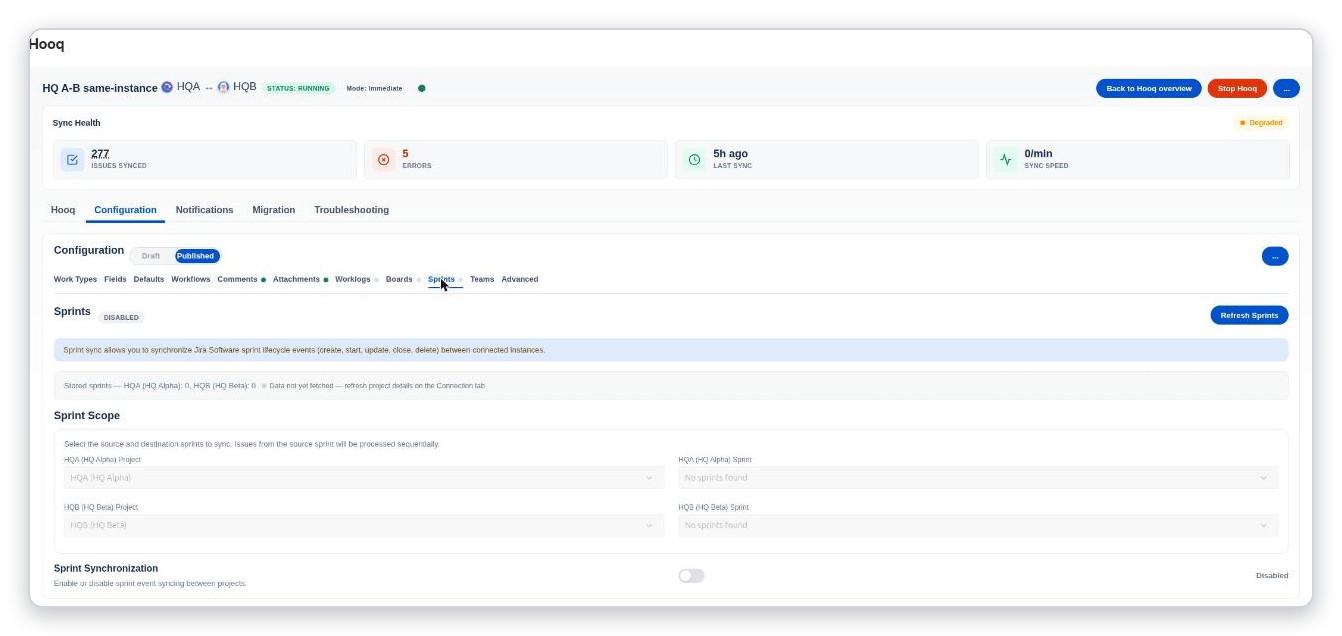
The Sprints tab. When no sprints were read yet, the selectors say No sprints found.
- Refresh Sprints reads the sprints of both projects again. If the tab says the data was not fetched yet, select Refresh Project Details on the Hooq tab first.
- Sprint Scope: choose the project and the sprint on each side.
- Sprint Synchronization: the switch turns sprint syncing on or off.
- With Prevent Sprint Deletion on in the Advanced tab, a sprint deleted on one side is not deleted on the other.
A sprint is copied to the sprint you chose on the other side, so choose the board on both sides first.
- Updating a sprint (its name, goal or end date) now reaches the partner sprint.
- Start, close and delete work as before.
- A sprint created right after you publish Boards and Sprints is copied without saving a second time, as long as its board is one of the two boards in the Board Scope.
- Between two instances, sprint, board-delete and sprint-update events cannot land on a wrong board or sprint when board or sprint numbers on the two instances happen to be the same: Hooq checks that the sprint belongs to the expected board.
- Good to know: a sprint copied before the destination board was changed is no longer updated or deleted. With the same project key on both instances, sprint events from the target side are not synced. A sprint on a board that is not in the Board Scope is skipped (only a line in the log).
Related pages
Want to raise a ticket? Click here (opens in a new tab)