
 PortalPilotJira Service Management
Find, filter and export portal requests in one list
PortalPilot adds a full-screen request list to the Jira Service Management customer portal. Customers open it from a banner on the portal’s Requests page. They can filter, sort, search, save their filters and export what they see. Jira admins choose who can use it and which fields appear. Runs only on Atlassian Forge and reads Jira as the signed-in person, so each customer sees only the requests Jira already lets them see. It lists no outside address.
A full-screen request view on the customer portal. Customers filter, sort, search, save and export their requests.
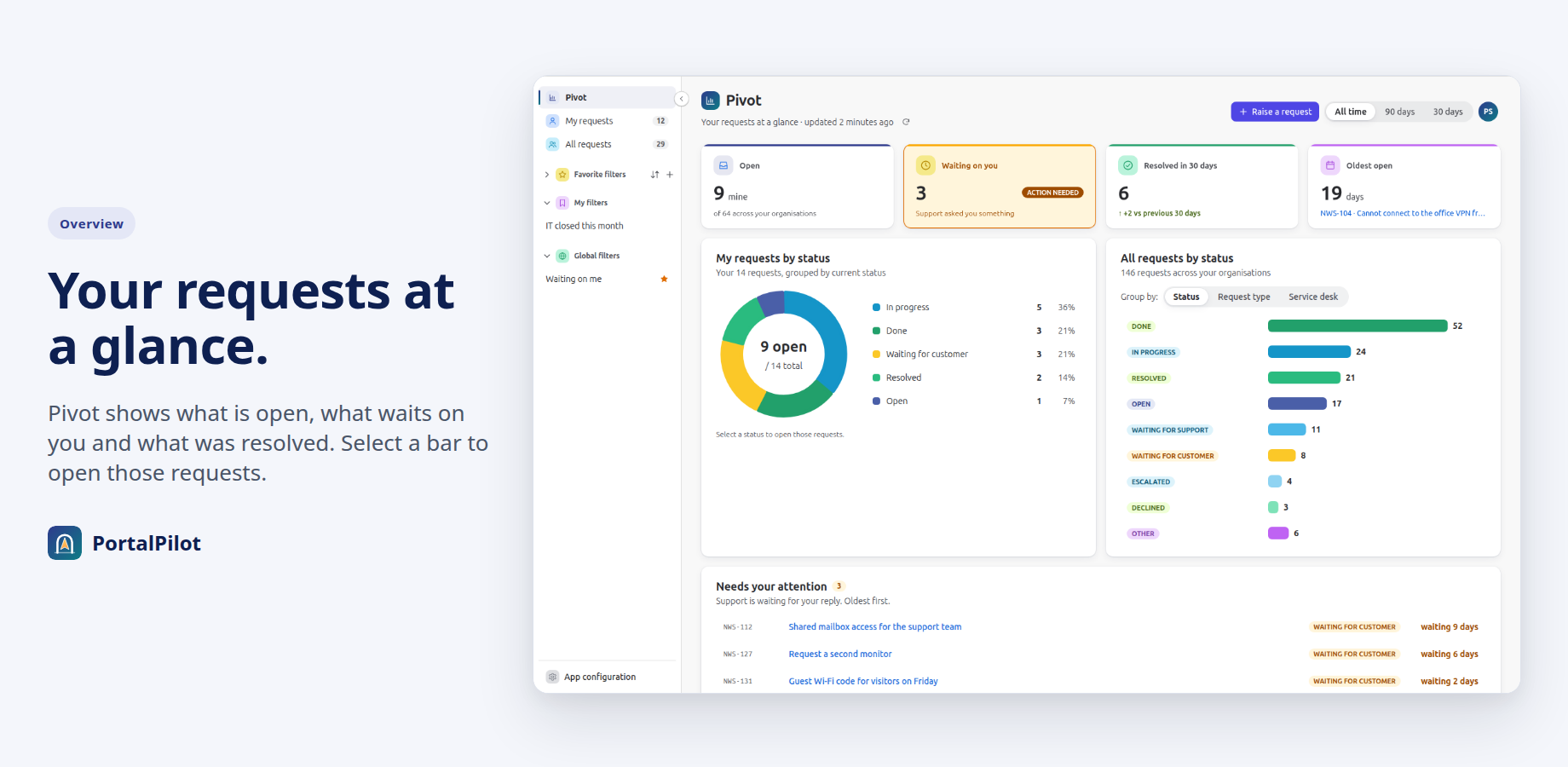
- An overview with tiles and charts that open the matching list
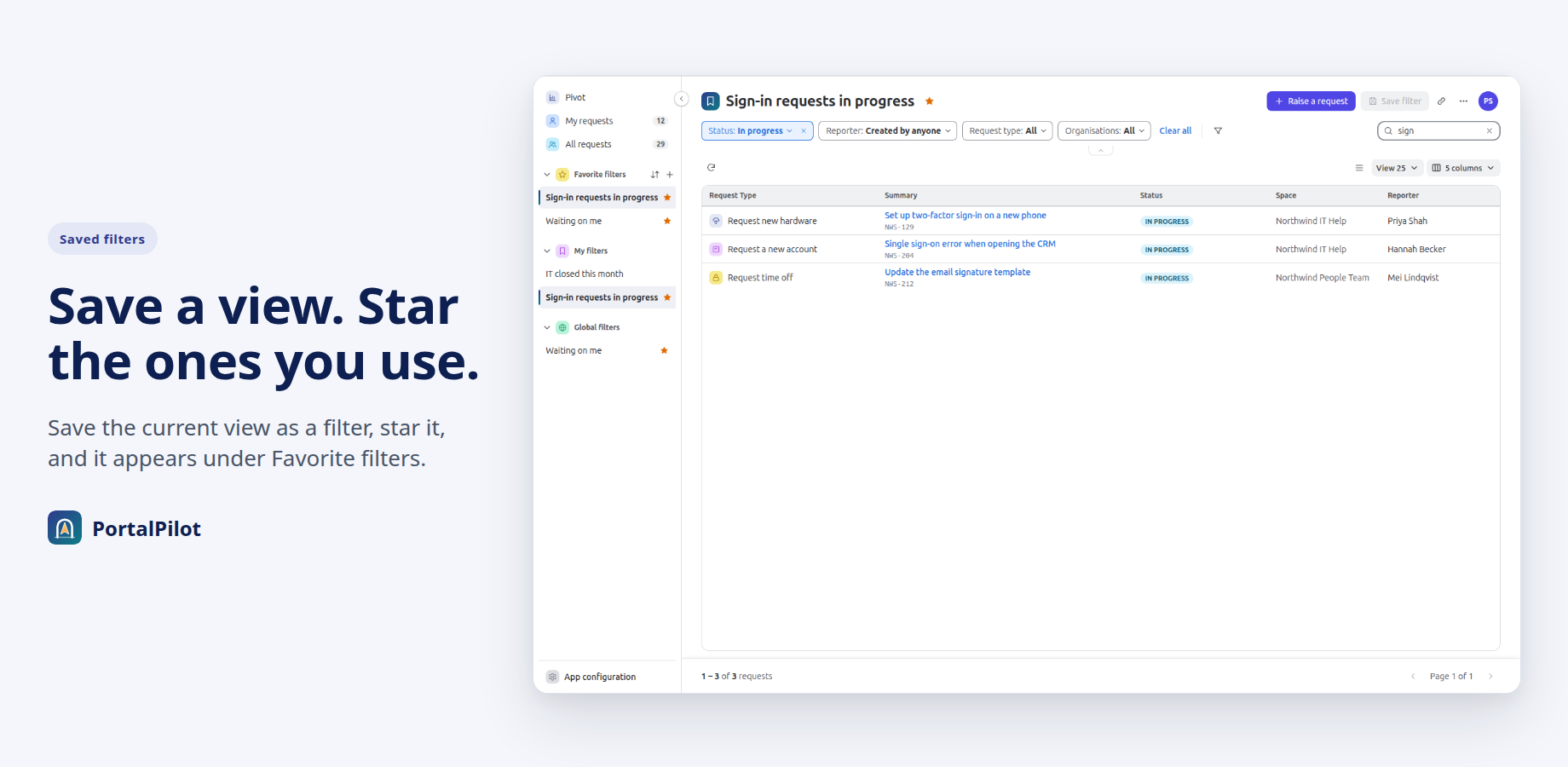
- Saved filters, with save and share rules set by an admin
- Reads as the signed-in person, and nothing leaves Atlassian
How PortalPilot works
One list of the requests a customer may see
Your data stays on Atlassian
PortalPilot runs on Atlassian Forge. The app lists no outside address, so request data is not sent anywhere else. There are no Limbus Lab servers.
Customers see only what Jira allows
Every list is read from Jira as the signed-in person, never as the app. Jira’s own permissions and work item security levels apply.
Nothing about your requests is stored
The app keeps its settings and saved filters in Forge storage. It does not copy request content. Lists are read from Jira each time.
Filters customers already understand
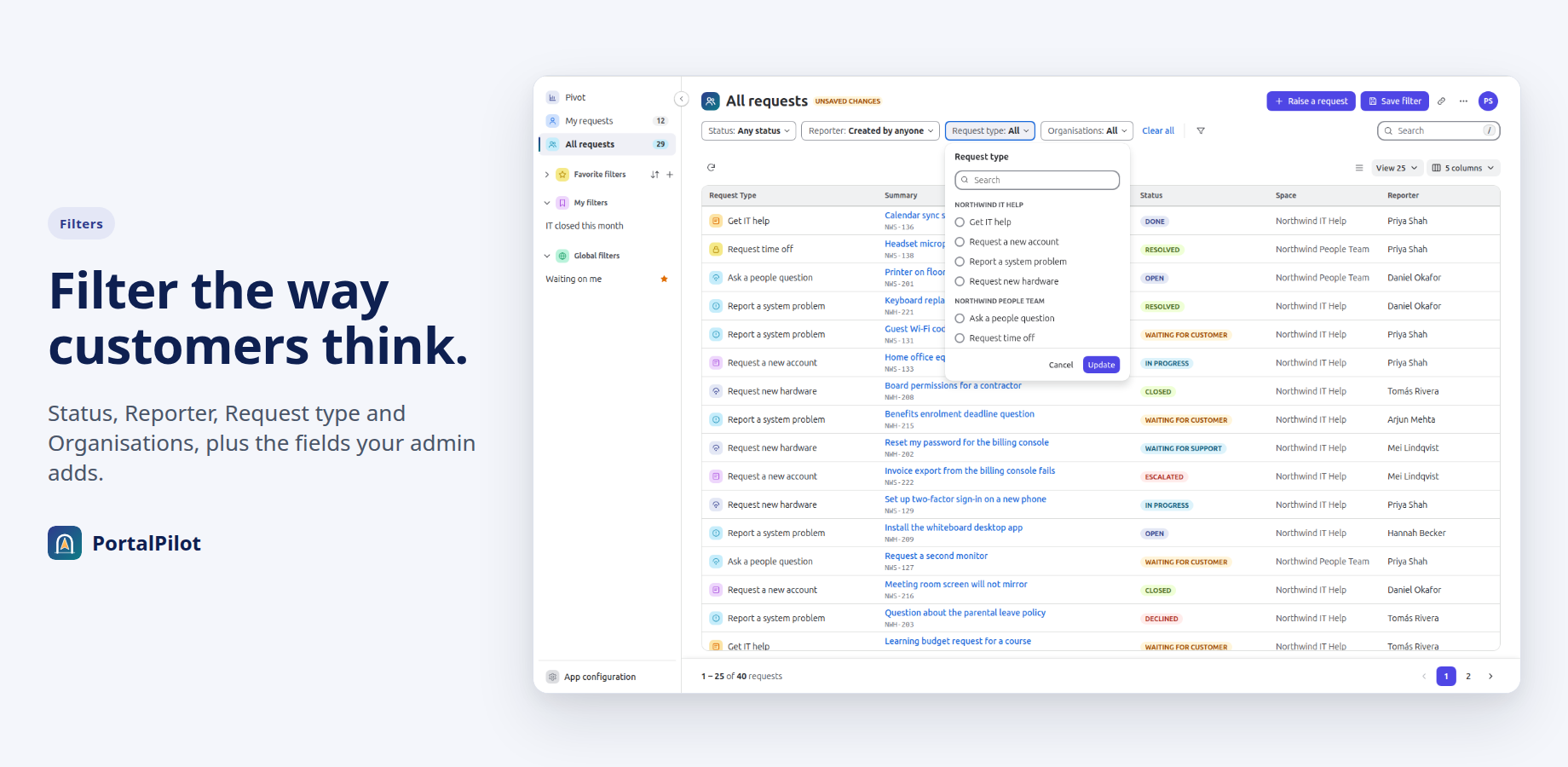
Status, Reporter, Request type and Organisations, plus fields an admin adds, such as a custom “Product” field. One click clears them all.
Saved filters, shared when you allow it
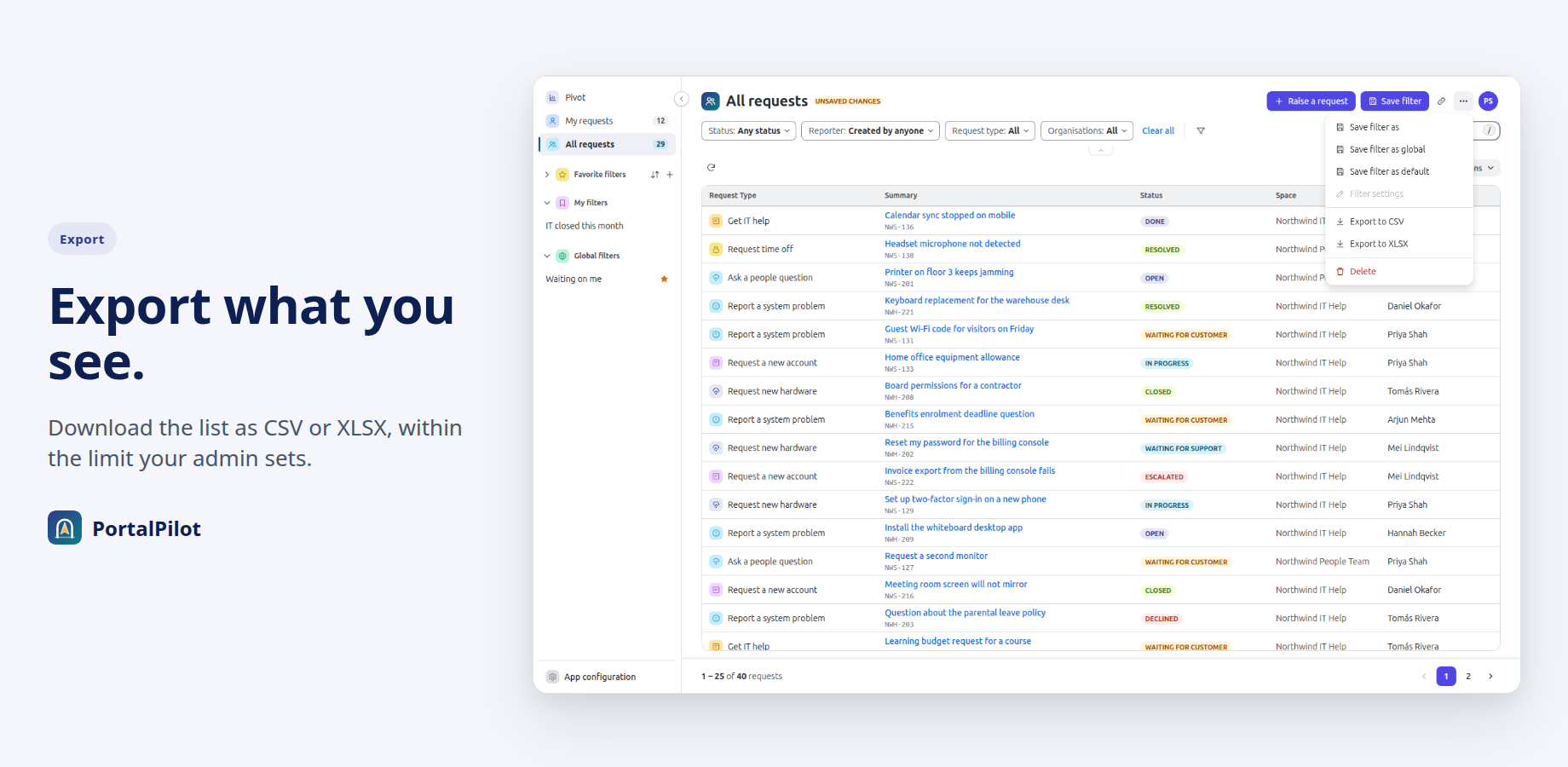
Customers can save a filter, mark it as a favourite, rename it, delete it or copy a link to the current view. Admins decide who may save and who may share.
Export with limits you set
Customers can export their list to CSV or XLSX. Admins can turn export off or cap the number of requests per export, up to 1,000.
Admin settings checked on the server
Only Jira admins can open the settings, and the server checks this on every call. If Jira cannot confirm access, the app denies it.
Limits stated up front
Lists show up to 1,000 matching requests. When there are more, the count shows “1000+”. Other limits are in the help centre.
In Jira
What PortalPilot looks like
Screenshots use a fictional company, Northwind Support, and made-up data.
See it move
Two clips
Features
PortalPilot features
Pivot overview
Four tiles: Open, Waiting on you, Resolved in 30 days and Oldest open. Charts of your requests and of all requests, with All time, 90 days or 30 days. Select a slice or bar to open the matching list.
My requests and All requests
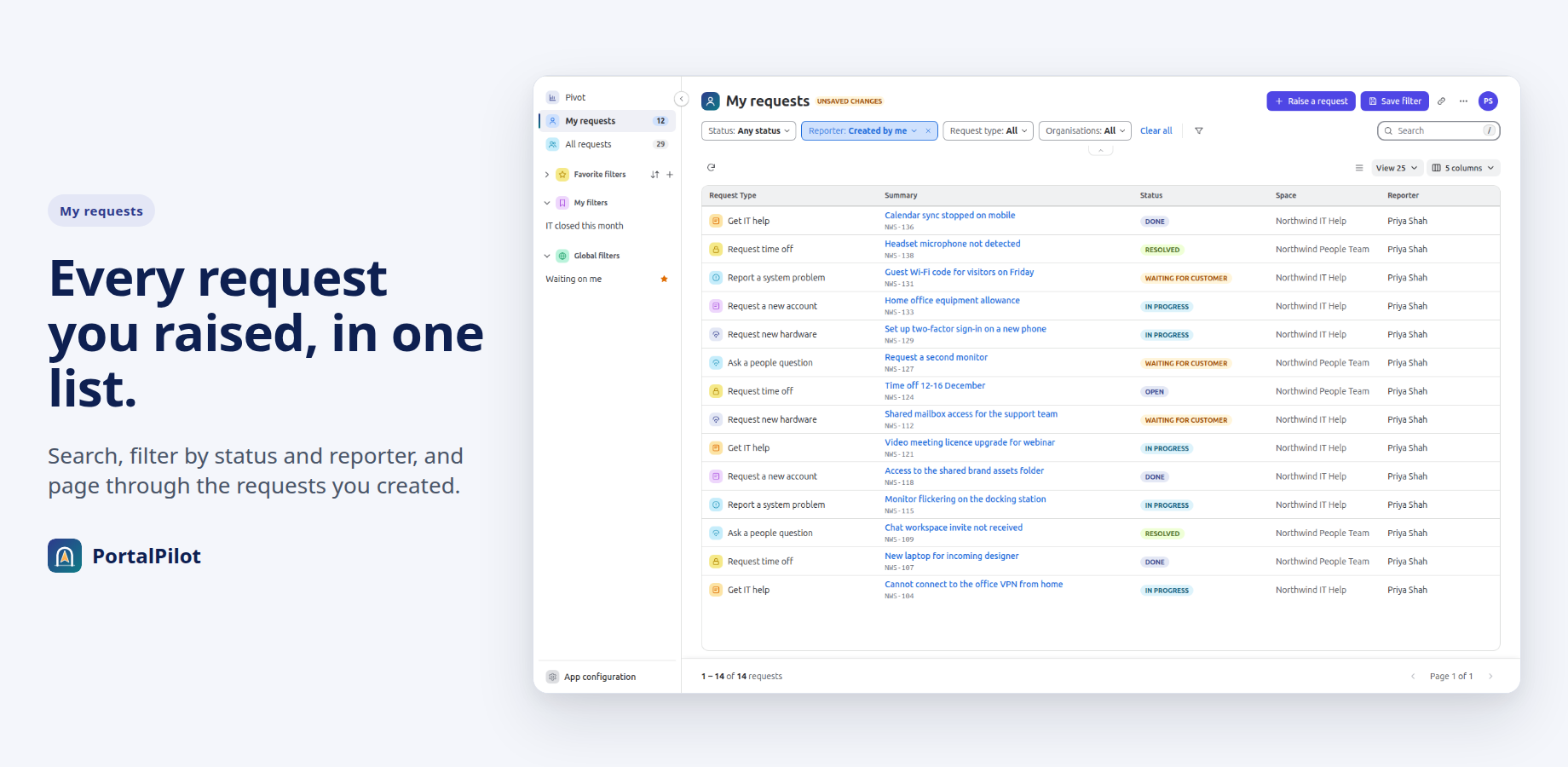
Two views with search, Status and Reporter filters, and a pager. Clear the search to see the full list again.
More filters
Filter by Request type, Organisations, Space, Reporter options such as Where I am a participant, and fields your admin adds. Search matches the summary or the request key.
Sort, page size and columns
Sort by Summary or Status. Show 25, 50, 75 or 100 rows per page. Choose columns, and reorder them by dragging or with the keyboard.
Saved filters and export
Save, favourite, share, rename and delete filters, or copy a link to the current view. Export the list to CSV or XLSX within the admin’s limit.
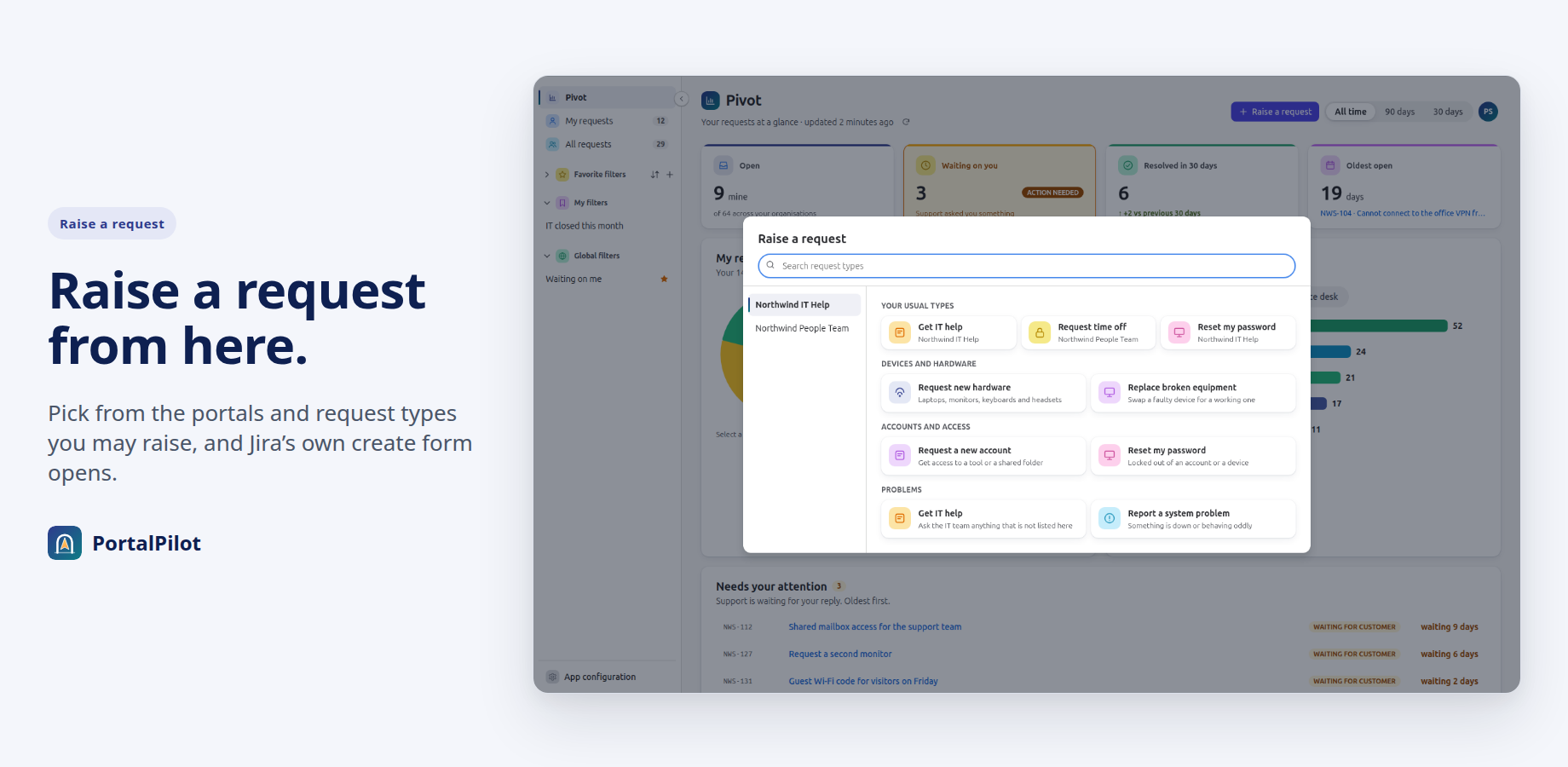
Raise a request
Raise a request lists the portals and request types you may raise, and opens Jira’s own create form for the type you choose.
Admin control
Five admin pages: Get started, General settings, Scopes configuration, Fields configuration and Filters management. App configuration appears in the sidebar for Jira admins only; customers do not see it.
Reopens after a refresh
If you refresh the portal page while PortalPilot is open, it opens again.
Setup
Setup in three steps
Install the app
PortalPilot is coming to the Atlassian Marketplace. Once it is listed, a Jira admin installs it on a Jira Service Management Cloud site.
Follow Get started
Four steps in the app’s admin pages: general settings, user scopes, custom fields and filters.
Open it from the portal
On the portal’s Requests page, customers select the banner button to open PortalPilot full screen.
Resources
Documentation, status and trust
Documentation
How to set up and use PortalPilot, for Jira admins and customers.
Trust
Security, data and permissions.
Status
Current service and platform status, and incidents.
Privacy policy
What the app reads and keeps.
Terms of service
The licence, support, and billing through the Atlassian Marketplace.
Accessibility
Accessibility status, and what has not been evaluated yet.
Contact support
Questions, problems or a demo: get in touch.
Raise a ticket
Open a request on the Limbus Lab service desk.
Questions
Common questions about PortalPilot
What is PortalPilot?
A Forge app for Jira Service Management Cloud. It adds a full-screen request list to the customer portal, opened from a banner on the portal’s Requests page. Customers can filter, sort, search, save filters and export. Jira admins configure it from five admin pages.
Is PortalPilot free?
No. PortalPilot is a paid app, coming to the Atlassian Marketplace. Atlassian will handle billing. If the subscription ends, customers stop seeing PortalPilot, and your settings and saved filters are kept until it is active again.
Where do customers find it?
On the portal’s Requests page, the one that lists all of a customer’s requests across service projects. A banner there has a button that opens PortalPilot full screen. Admins can change the banner text and button label, or hide the banner.
Does any of my data leave Atlassian?
No. The app runs on Atlassian Forge and lists no outside address, so it cannot send data anywhere else. There are no Limbus Lab servers.
Whose permissions apply?
The signed-in person’s. Every list is read from Jira as that person, never as the app. A customer sees the same requests in PortalPilot that Jira would show them anyway. Work item security levels apply too. There is no setting to show requests a customer could not otherwise see.
What does PortalPilot store?
Only its settings and saved filters, in Forge storage. A saved filter holds its name and its criteria, and is kept under the owner’s account ID. Shared and global filters also hold the owner’s display name. It does not store request content. Lists are read from Jira each time.
Can PortalPilot create, edit or delete requests?
No. It asks Jira only for permission to read requests, work items, organizations and users, plus its own storage and Atlassian’s personal data reporting. It has no permission to change them.
Why does the count say “1000+”?
Lists show up to 1,000 matching requests. When more requests match, the count shows “1000+”. Narrow the filters to see the rest.
Can customers share saved filters?
Yes, if the admin allows it. In Filters management, Save and share, an admin chooses who may save filters, who may share them and who may share them with everybody. Global filters can be managed only by Jira administrators, or by Jira administrators and selected users or scopes.
More answers: PortalPilot help centre FAQ, or ask us.
PortalPilot demos
We show PortalPilot on a demo site. Write to us to arrange one.