Hooq help centre

Attachments
The Attachments tab controls whether files are copied.
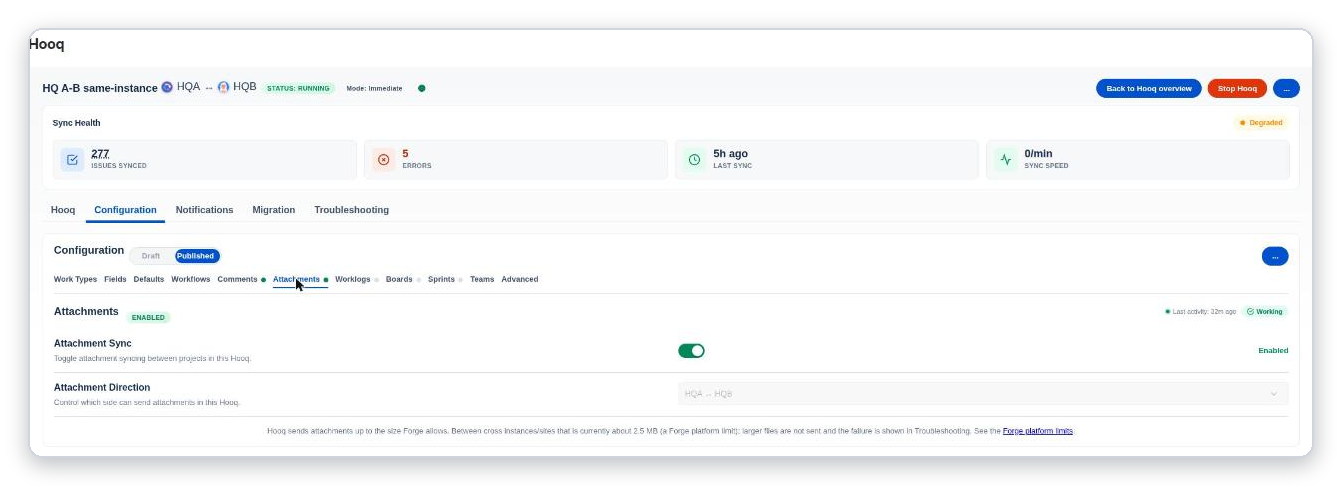
The Attachments tab. The text in the middle states the file size limit between instances (about 3.5 MB).
Settings
| Setting | What it does |
|---|---|
| Attachment Sync | The switch turns file copying on or off. |
| Attachment Direction | Which side can send files: both ways, or one way. |
The label at the top of the tab
A label at the top right shows Working when file copying is on and the Hooq is running, Stopped when it is on but the Hooq is not running, and Off when it is off. Last activity shows when the Hooq last synced anything (not only files), or No activity yet.
File size
There is no size setting. Between two different instances, a file can be up to about 3.5 MB. This comes from Forge platform limits and cannot be changed. A larger file is not copied, the rest of the work item still syncs, and the failure is shown in the Troubleshooting tab. On one instance, Hooq sets no limit. The tab says: Hooq sends attachments up to the size Forge allows. Between cross instances/sites that is currently about 3.5 MB (a Forge platform limit); larger files are not sent and the failure is shown in the Troubleshooting tab. The words Forge platform limits link to the Forge documentation.
- The limit applies to every file sent between two instances, including files sent with the Attachment button of the panel.
- If a file with the same name and size is sent in both directions within about 10 minutes, the second copy can be skipped.
- Deleting a file on one side does not delete it on the other while Prevent Attachment Deletion is on in the Advanced tab.
Related pages
Want to raise a ticket? Click here (opens in a new tab)