Hooq help centre

Resume or delete an unfinished connector
Goal
Continue a connector you started earlier, or remove a connector you do not need.
Resume an unfinished connector
When you select New Connector, Hooq saves the connector at once with the status Draft. You can leave at any time, for example with Later or Back to connectors. The draft stays in the list.
Open Hooq, select ... and then Connectors.
You should see: the list. A draft has the status Draft and a dash as partner instance.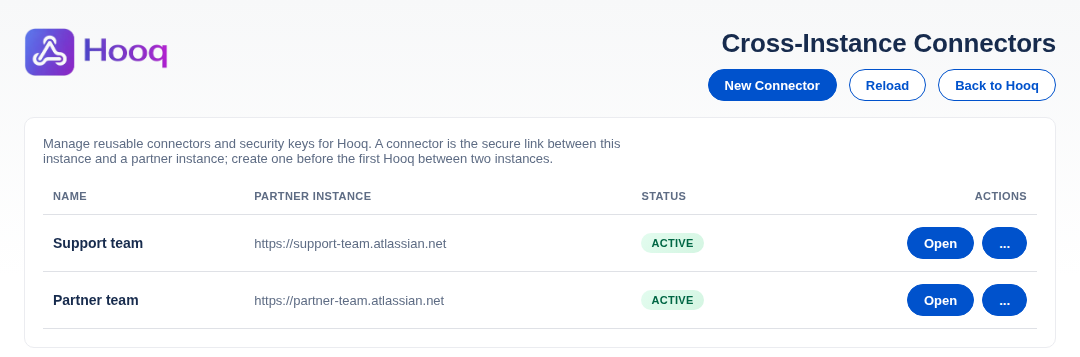
The Connectors page. The names and addresses in this picture are examples.
Select Open in the row of the draft.
You should see: the page of the connector on the tab Share your public key. The key and the other tools are where you left them to continue.Select Next to go to the tab Connector file and carry on as in Connect two instances with pairing files.
Delete a connector you do not need
In the list, select the ... button of the row.
You should see: a menu. A Draft has only Delete.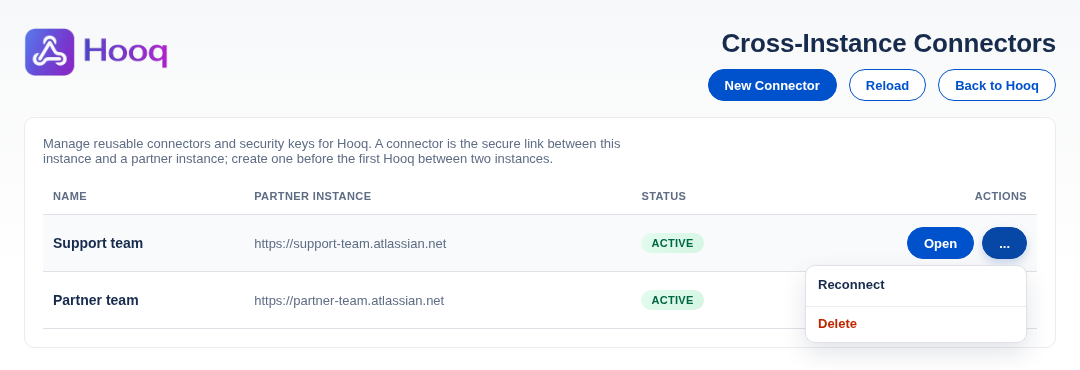
The ... menu of a row.
Select Delete.
You should see: a red box inside the page: Delete <name>? This action cannot be undone. with the buttons Delete connector and Cancel.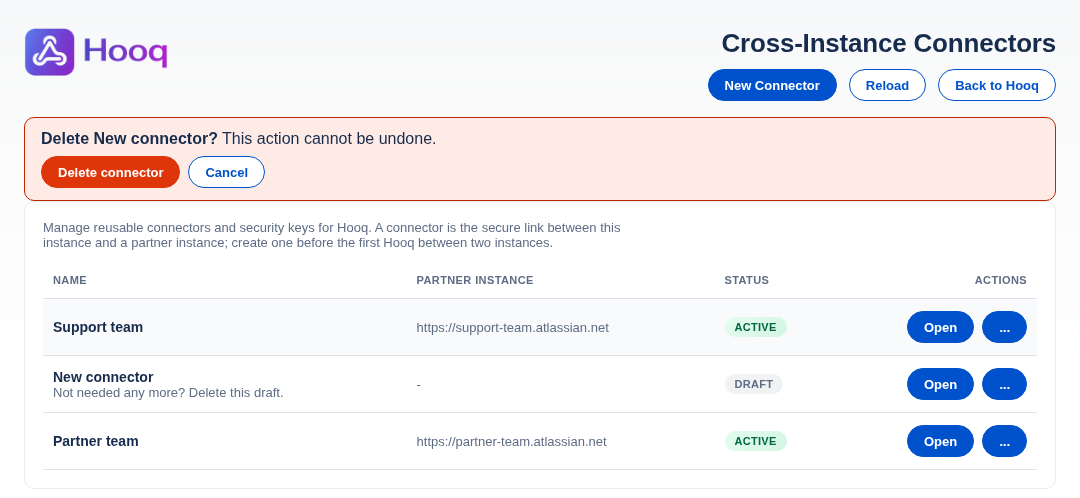
The confirmation before a connector is deleted.
Select Delete connector.
You should see: the message Connector <name> deleted. and the row is gone. Select Cancel to keep it.
Common mistakes
- Deleting the wrong row. Check the name and the Partner instance column before you confirm.
- Deleting an Active connector that Hooqs still use.
Related pages
Want to raise a ticket? Click here (opens in a new tab)