Hooq help centre

How to get told when a sync fails
Goal
Receive an email when a Hooq stops or a work item stops syncing.
Before you start
- You know who should be told.
Steps
Open the Hooq and select the Notifications tab.
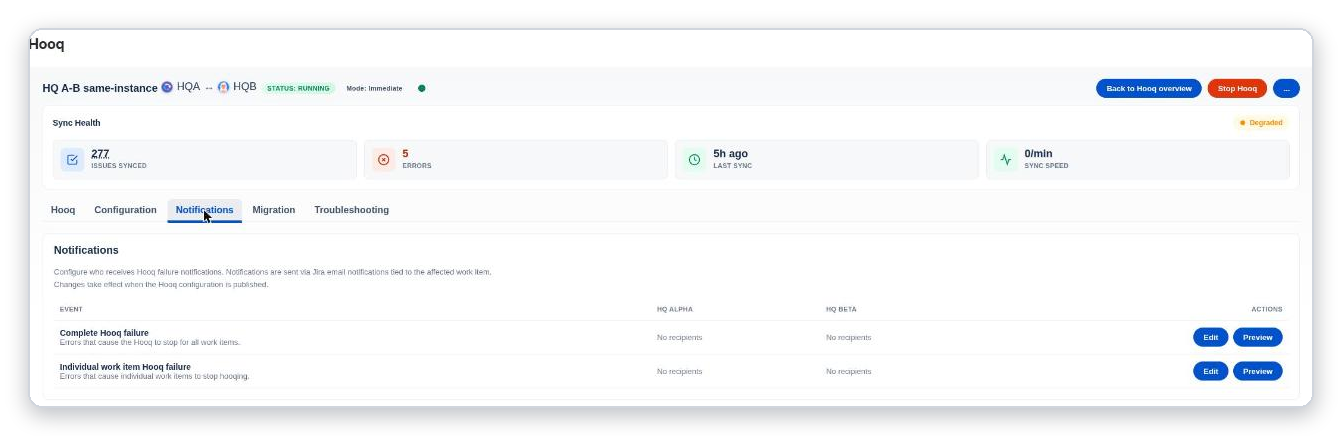
Each event has its own recipients.
Select Edit on the event you care about.
Add Jira users, groups, project roles or email addresses for each project.
Save.
You should see: Notification settings saved.Select Preview to see what the message looks like.
Publish the configuration.
Expected result
The people you chose are listed as recipients in the row of the event.
Common mistakes
- Forgetting to publish: changes take effect when the configuration is published.
- Typing an invalid email address.
Related pages
Want to raise a ticket? Click here (opens in a new tab)