ServiceNow app · Preview · coming soon
Hooq for ServiceNow.
Record sync with nothing in the middle.


Keep records in sync between ServiceNow and Jira Cloud, or between two ServiceNow instances. Each instance sends its changes straight to the other.
What it does
Working today, and coming soon.
In the preview today
Works today
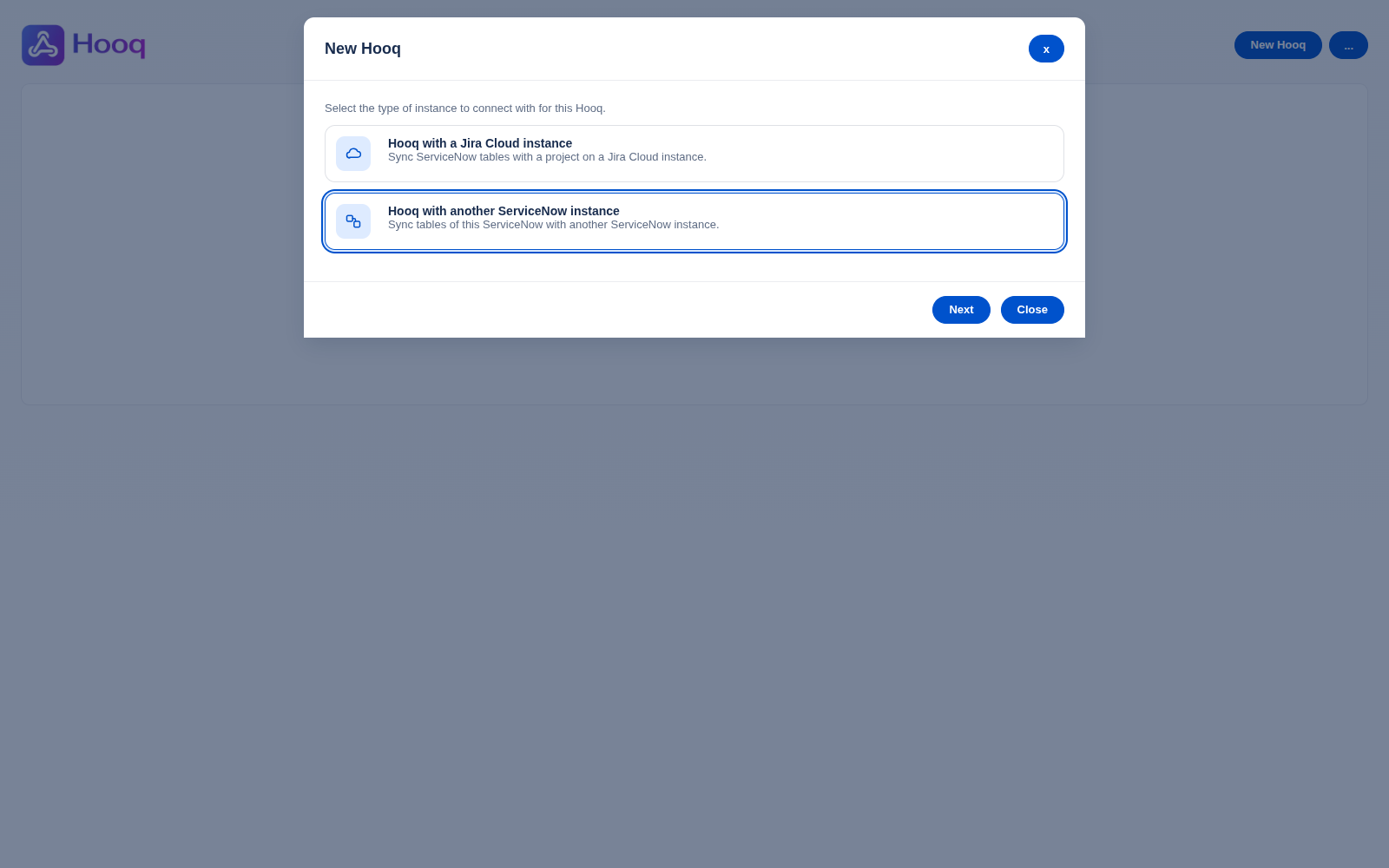
- Connect ServiceNow with Jira Cloud, or with another ServiceNow instanceTwo administrators connect the two instances.
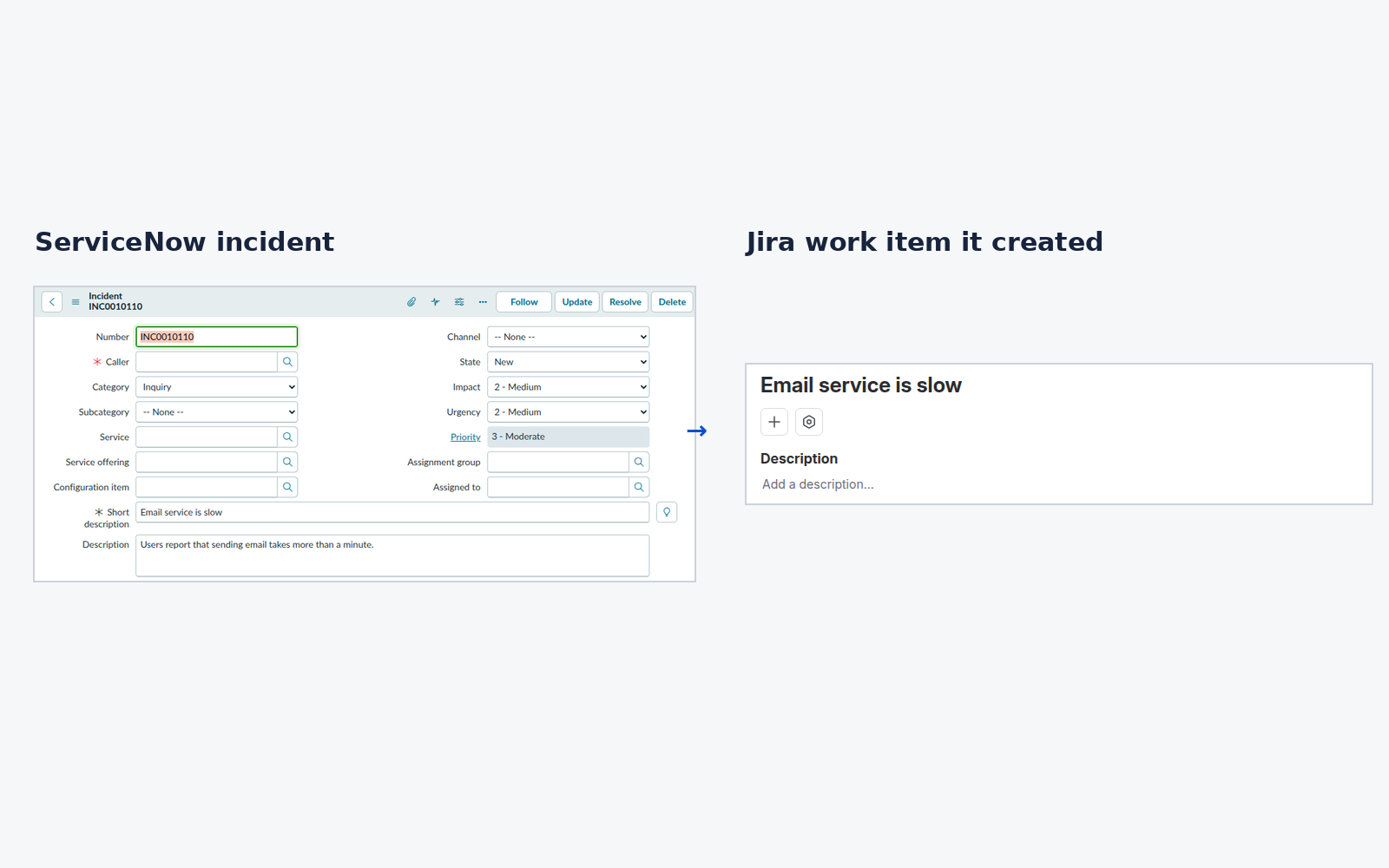
- New records follow to the other sideBetween two ServiceNow instances, both ways. With Jira, a new ServiceNow record creates a Jira work item, and a new Jira work item creates the ServiceNow record.
- Edits and state changes followEdits to the synced fields of a record follow both ways. A state change is applied by the receiving side, so its own rules apply: for example a Problem needs an assignee and a Change request needs an assignment group before it can leave New. A Change request state change made on the second ServiceNow instance is not yet proven.
- Comments and work notes followBetween two ServiceNow instances, both ways. With Jira, comments follow both ways and work notes arrive in Jira. With Jira Service Management, work notes become internal notes.
- Attachments followBetween two ServiceNow instances, files arrive unchanged and a file sent twice is stored once. Between ServiceNow and Jira, attachments follow too.
- Only the records you chooseLimit a sync to the records that match a condition.
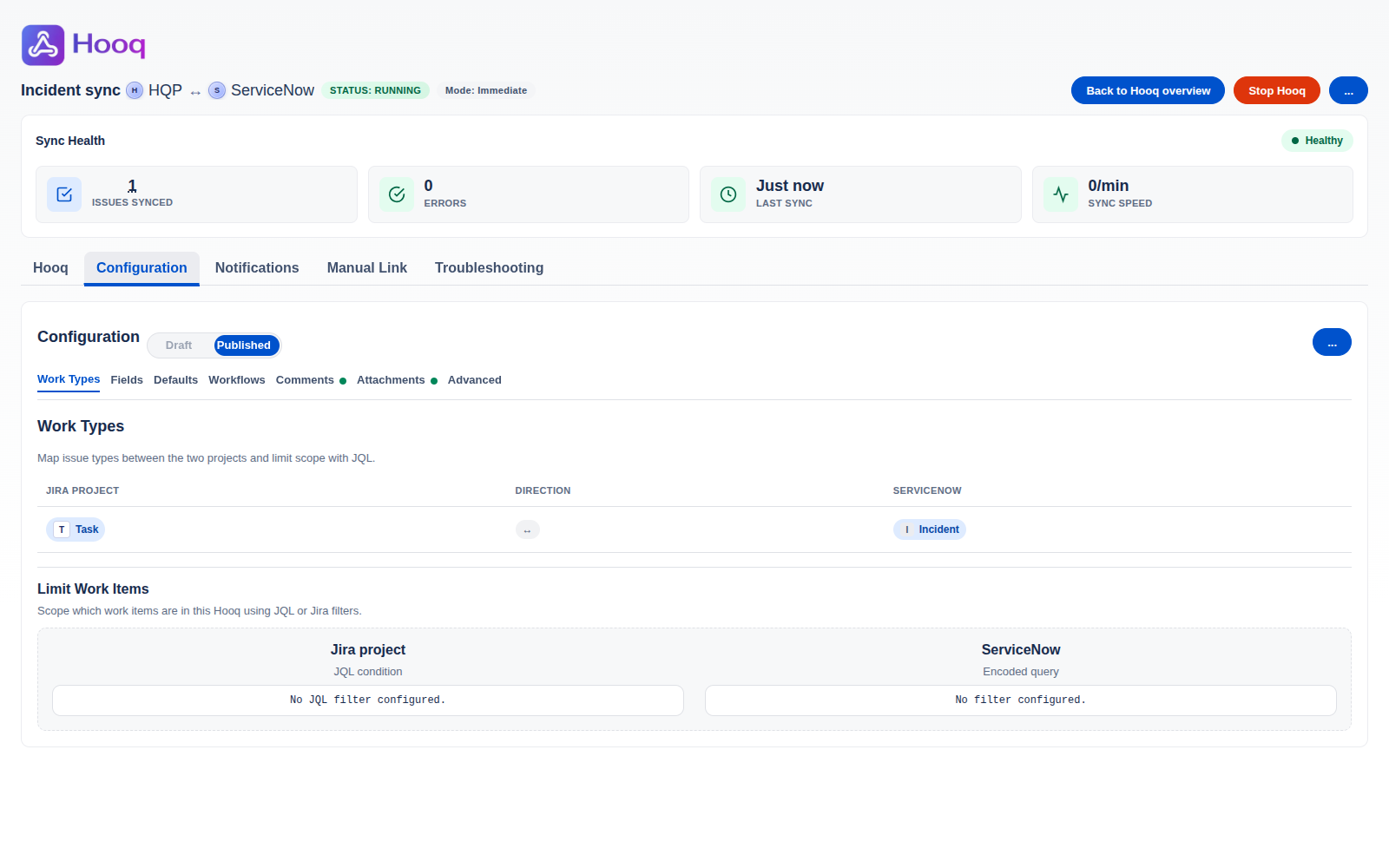
- Set up from screens in ServiceNowCreate a Hooq step by step, save a draft, publish, start and stop.
- Tables in IT Service Management, between two ServiceNow instancesIncident, Problem, Change request, Catalog task and Requested item, both ways.
- With Jira Service ManagementIncident, Change request and Requested item pair with Jira Service Management Incident, Change and Service request work items: edits, public comments, internal notes and status follow both ways. When a request type is set they become customer requests. A Problem pairs with a Jira Problem work item: new records, edits and comments follow, and a status follows only to a status the Jira workflow allows.
- With Jira projectsServiceNow incident, story, epic, scrum task and feature records pair with Jira work items. A Jira Epic, Story, Task or Sub-task with its parent link pairs with an epic, story or scrum task.
- Tables in Agile Development, between two ServiceNow instancesEpic, Story, Scrum task and Feature, both ways. A story keeps its epic and a scrum task keeps its story.
- Tables in Strategic Portfolio Management, between two ServiceNow instancesProject and Project task, both ways: new records, edits, comments and work notes, and the project of a task.
Not available yet
Coming soon
- Idea type with Jira
- Sprint pairing
- Catalog task with Jira
- A Problem as a customer request in Jira Service Management
- Resync of a single record
- A panel on the record that shows its partner
- Linking records that are already paired
- Hooq Standard edition for ServiceNow
Connecting ServiceNow with Jira, Azure DevOps and GitHub is coming with Hooq (Advanced Edition) for Jira.

In ServiceNow
What Hooq looks like.
Real screens from the installed app, captured on a test instance.
Why Hooq
Instance to instance. Nothing in the middle.
Some sync apps pass your work through a server run by the app's vendor. Hooq doesn't have one. Each instance sends its changes straight to the other.
Signed, both ways
Every request between two instances is signed, and a request that is sent again is refused.
Administrators decide
Administrators connect the two instances, choose what syncs, then publish and start. Nothing syncs before that.
No server of its own
Hooq has no server, database or storage of its own. Your work stays on the platforms you already use.
Setup
Three steps, the same on both.
The way you set up Hooq is the same in Jira and in the ServiceNow preview.
Connect
Connect your instance with the other one. Inside one Jira instance, no connection is needed.
Choose what syncs
Pick the projects or tables, the types of work and the fields. Save it as a draft until it is right.
Publish and start
Publish the settings and start the Hooq. Stop it at any time.
Docs
Preview notes.
One page while Hooq for ServiceNow is in preview. A full help centre comes with the release.
Hooq for ServiceNow
Two instances, one way of working.
Tell us about your ServiceNow setup and ask about the preview.