
 SmartDashJira Cloud
Charts, lists, time in status and calendars for Jira dashboards
Adds Filters, Chart, List, Time in Status and Calendar widgets to Jira's classic and new dashboards. Widgets read Jira as the person looking, so Jira permissions decide what appears, and nothing leaves Atlassian.
Adds Filters, Chart, List, Time in Status and Calendar widgets to Jira's classic and new dashboards.
- Time in Status in six views, with median and 85th percentile
- One widget set that follows one filter row on both dashboard types
- Role dashboards for 11 job roles in the Advanced edition
How SmartDash works
Reads Jira as the person looking
SmartDash reads Jira as the person looking, so everyone sees only what Jira lets them see. It runs entirely on Atlassian Forge and sends nothing outside Atlassian.
Your data stays on Atlassian
SmartDash runs entirely on Atlassian Forge and lists no outside address, so nothing it handles leaves Atlassian. It is eligible for Runs on Atlassian. It keeps dashboard setups, never your work items.
Everyone sees only what they may see
Every widget and page reads Jira when it is on screen, as the person looking at it. Jira’s own permissions decide what comes back, so a viewer with fewer projects sees fewer work items.
It cannot change your work items
SmartDash has no permission to create, edit or delete work items, projects, fields, users or groups. It only reads Jira, as the person looking.
A page for your job
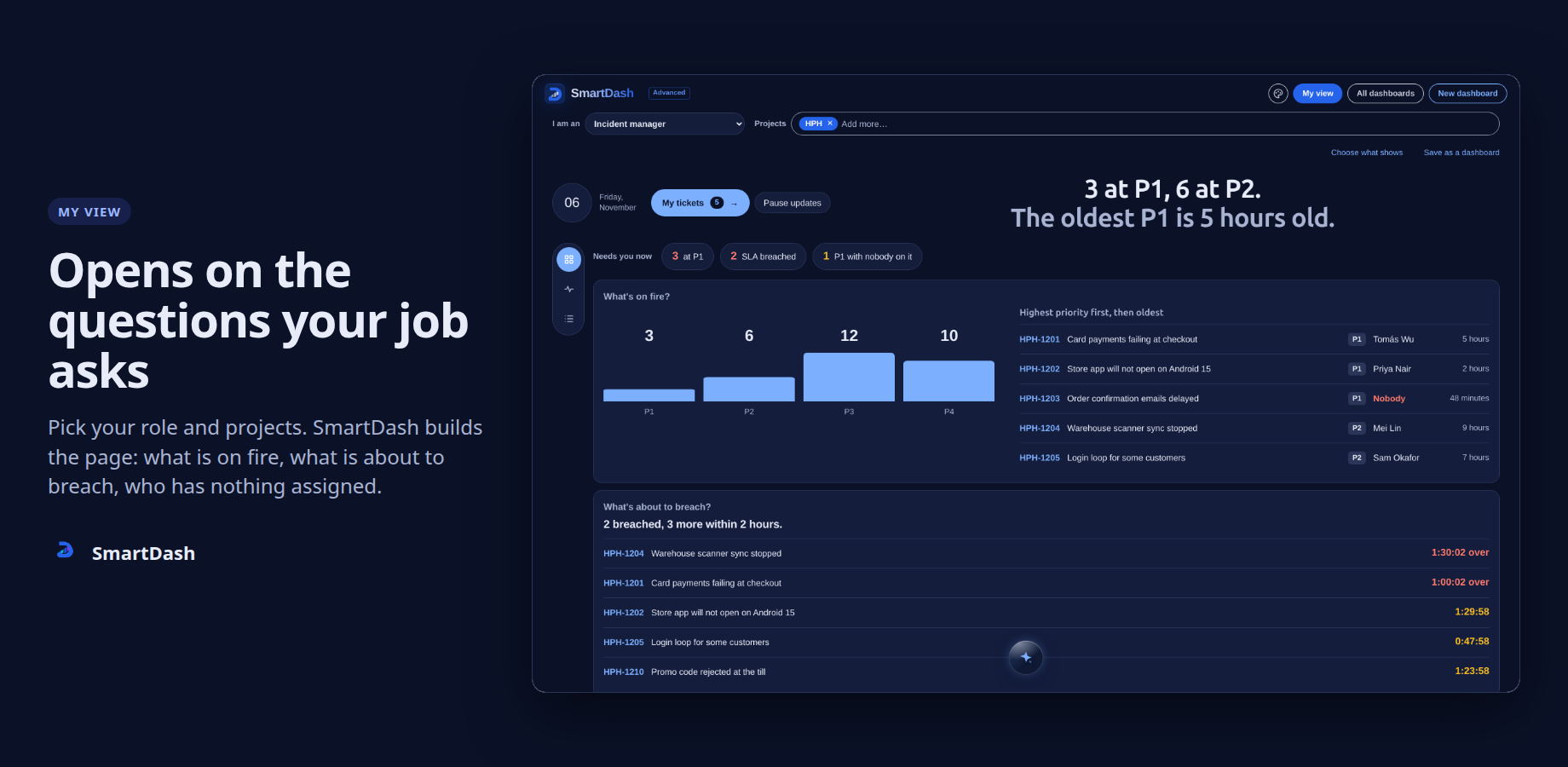
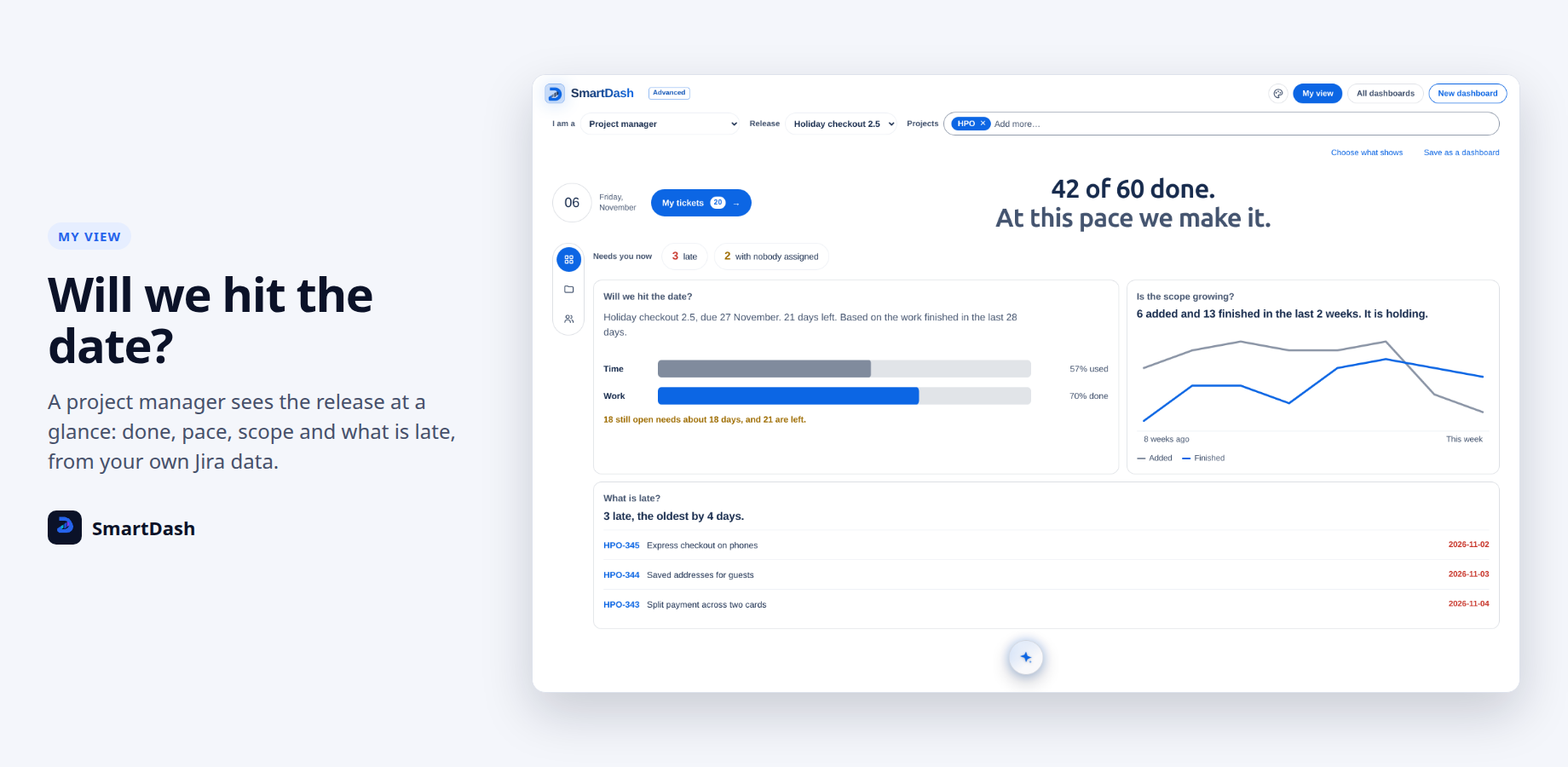
In Advanced, My view opens on the questions your role asks every day, for software and service teams alike: from a Scrum master’s sprint to an incident manager’s breaches. Eleven roles, from your projects’ live data.
Numbers you can check against Jira
Counts come from Jira’s own searches. When a calendar month holds more than 2,000 work items, each day uses Jira’s own count and the page says so, instead of stopping short.
Old and new Jira dashboards
The five widgets work as gadgets on classic dashboards and as widgets on Jira’s new dashboards, with the same settings. On new dashboards they also follow Jira’s own filter row.
One sprint at a time
When several sprints run, the Scrum master page shows them in a row and every box follows the one you pick. A sprint left open long past its end keeps its own days in the burndown, with one marked step to today.
Checked before each release
Each change comes with over 3,000 automated tests and is tried on a staging site first, in both editions.
In Jira
What SmartDash looks like
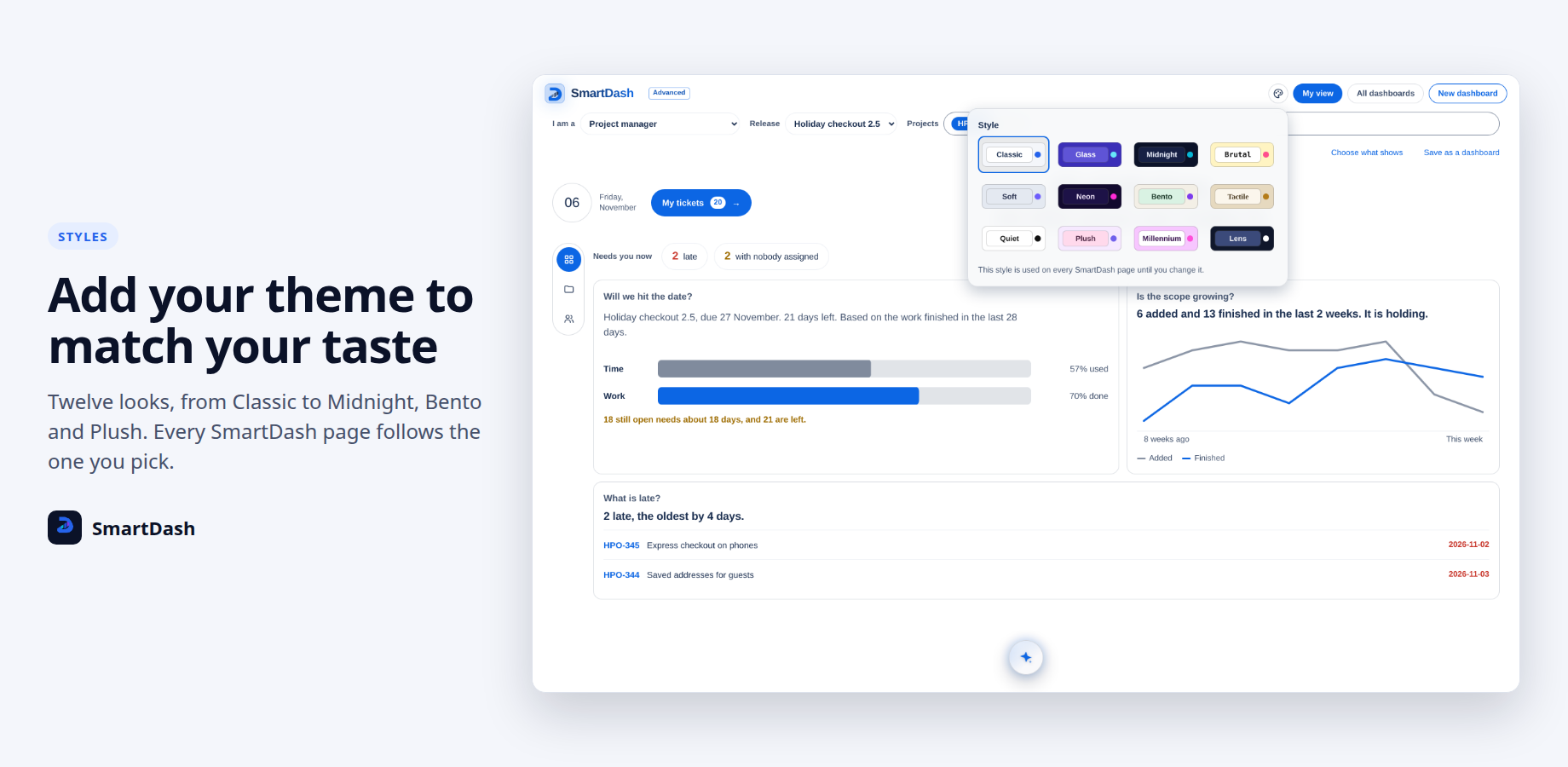
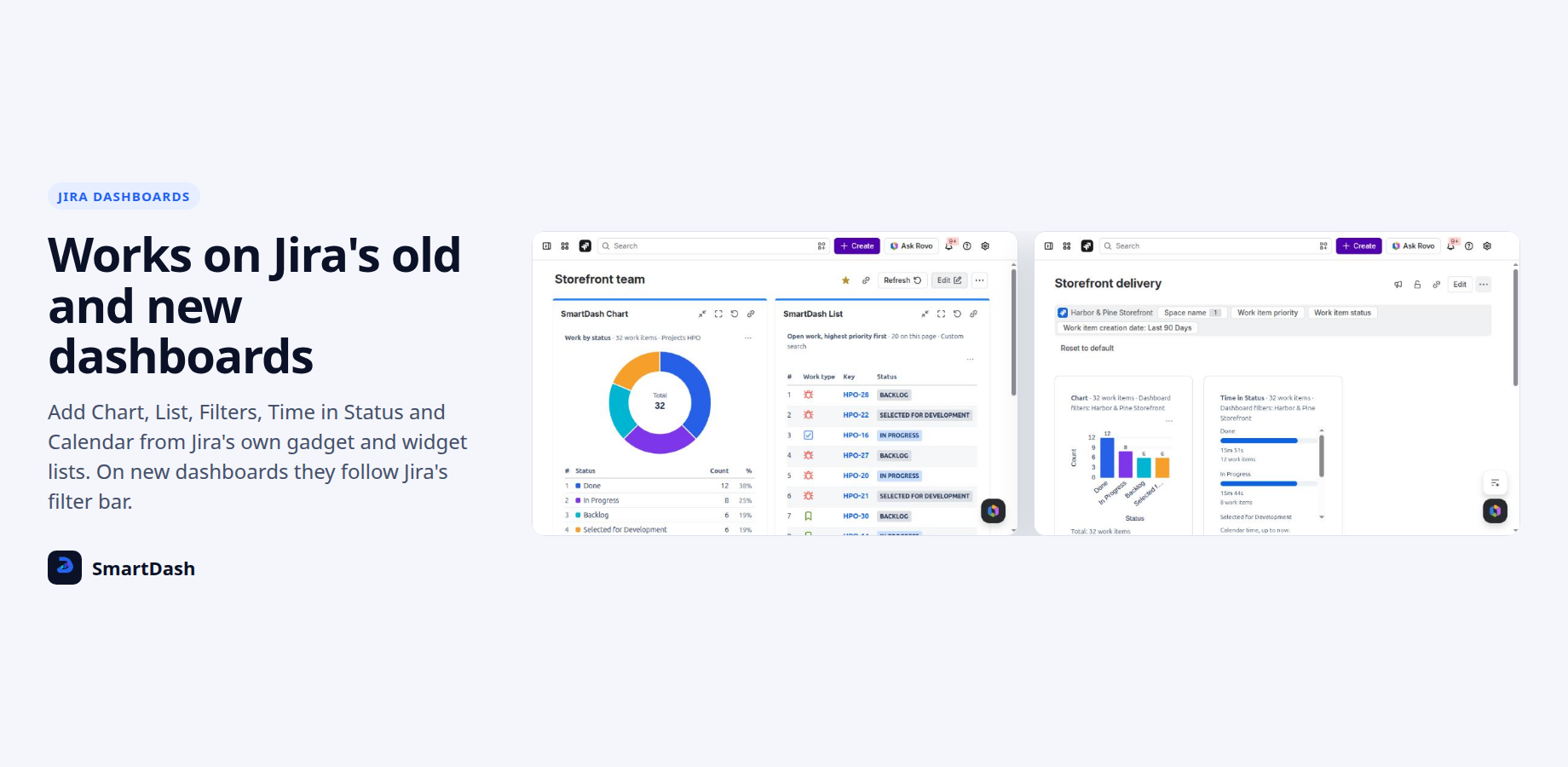
See it move
Two clips
Features
SmartDash features
Five widgets for Jira dashboards
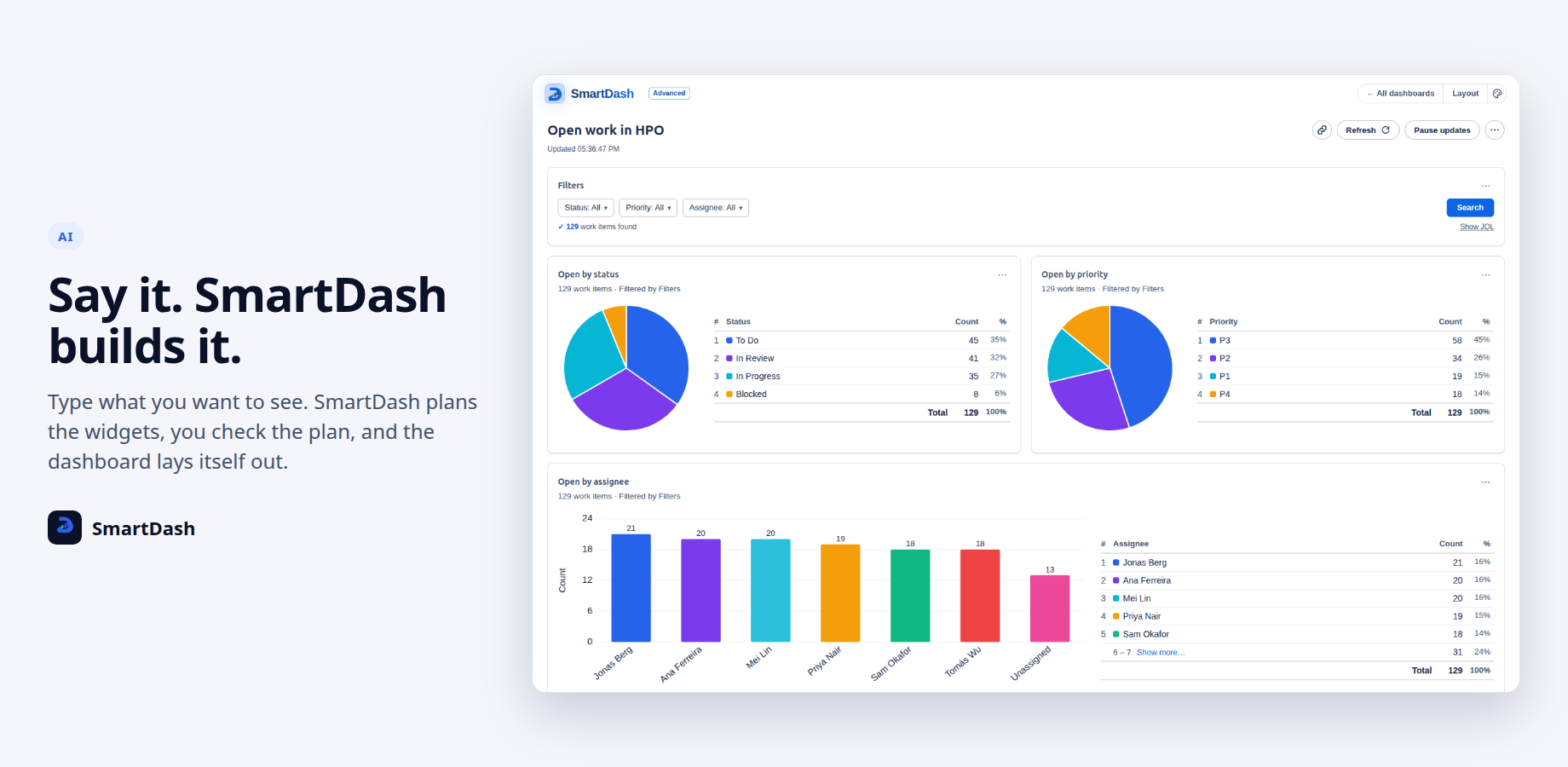
Chart, List, Time in Status, Calendar and Filters. Pie, bar, stacked and grouped bar, line, funnel, table and tiles, by any field you can group on, with goal lines, target bands and colour rules. In both editions.
SmartDash dashboards
In Advanced, build dashboards of self-sizing SmartWids and share them with people, groups or projects. Each viewer sees the numbers Jira lets them see.
My view, by role
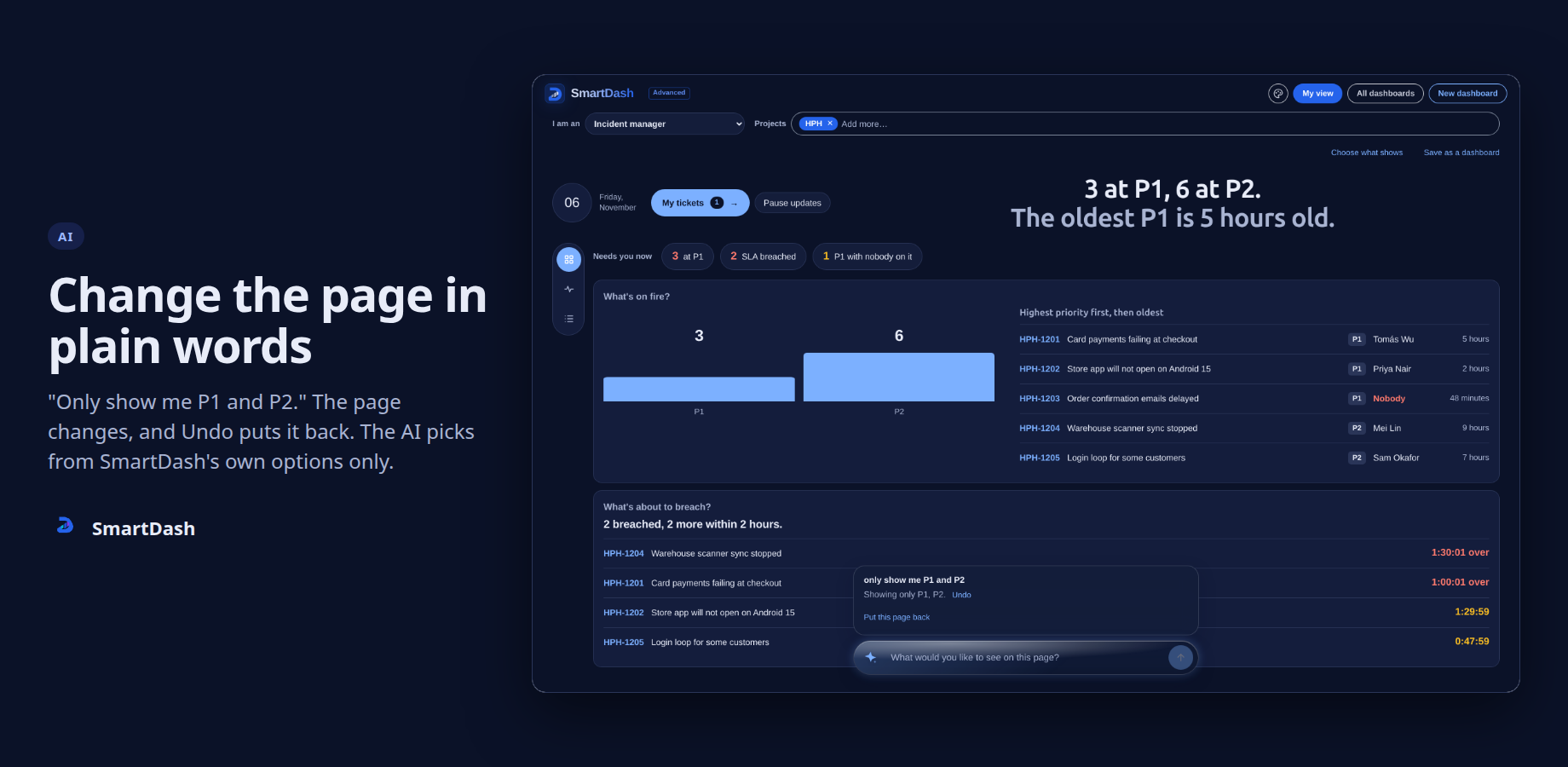
In Advanced, pick your role and projects and the page opens on your questions: will the sprint finish, who needs help, what is stuck, which clocks run out first.
Time in Status
Six views of how long work items stay in each status, with the median and the 85th percentile. In both editions.
Editions
Standard and Advanced editions
Standard
- Filters, Chart, List, Time in Status and Calendar
- On classic and new Jira dashboards
- Follows Jira’s light and dark themes
- One settings page for admins
Advanced
- Everything in Standard
- SmartDash dashboards, shared with people, groups or projects
- My view for eleven roles, with sprint burndown and burnup
Setup
Setup in three steps
Install from the Marketplace
A Jira admin installs SmartDash on your Jira Cloud site. Standard and Advanced are one app: your edition decides what shows.
Add widgets to a Jira dashboard
Open any Jira dashboard, choose Add, search for SmartDash and pick a widget. Set it up from its own settings.
Open My view
In Advanced, open SmartDash from Apps, pick your role and projects, and your page is ready.
Resources
Documentation, status and trust
Questions to ask any Jira dashboard app
49 plain buyer questions in six groups, each with the answer for SmartDash.
Jira dashboard and reporting apps compared
What to look for in a Jira dashboard app, with plain answers about SmartDash.
Documentation
Guides for setting up and using SmartDash, in both editions.
Trust
Security, privacy and data handling.
Status
Current service and platform status.
Privacy policy
How SmartDash handles your data.
Accessibility
What is built in, and what has not been evaluated yet.
Contact support
Questions, problems or a demo: get in touch.
Raise a ticket
Open a request on the Limbus Lab service desk.
Questions
Common questions about SmartDash
What is SmartDash?
SmartDash - Smart Dashboard, Charts, Reports, Graphs and List is an Atlassian Forge app for Jira Cloud and Jira Service Management. It adds charts, lists, time in status and calendars to Jira dashboards, and in Advanced, dashboards and role pages of its own.
What is the difference between Standard and Advanced?
Standard gives you five widgets for Jira’s own dashboards: Filters, Chart, List, Time in Status and Calendar. Advanced adds SmartDash dashboards, My view pages for eleven roles, and sprint charts. They are one app; your edition decides what shows.
Does any of my data leave Atlassian?
No. SmartDash runs entirely on Atlassian Forge and lists no outside address. It stores dashboard setups in Forge storage and never stores your work items. Your browser can keep your own last results for at most 48 hours so a dashboard opens at once.
Whose permissions apply?
The viewer’s. Every widget and page reads Jira as the person looking at it. The one exception is in Advanced, when a Jira admin or project admin turns on Share project data for one SmartDash and one project.
Does it work with Jira Service Management?
Yes. Widgets read service projects like any other, the Calendar can use your SLA fields, and My view has pages for service desk agents, incident, problem and change managers, and service owners.
Does it work on Jira’s new dashboards?
Yes. The five widgets work as gadgets on classic dashboards and as widgets on Jira’s new dashboards, with the same settings.
Does SmartDash create, edit or delete work items?
No. It has no permission to create, edit or delete work items, projects, fields, users or groups.
More answers: SmartDash help centre FAQ, or ask us.
SmartDash demos
We show SmartDash on your own Jira site. Write to us to arrange one.