Hooq help centre

Notifications
The Notifications tab decides who is told when something goes wrong. Hooq sends Jira email notifications tied to the affected work item. Changes take effect when the Hooq configuration is published.
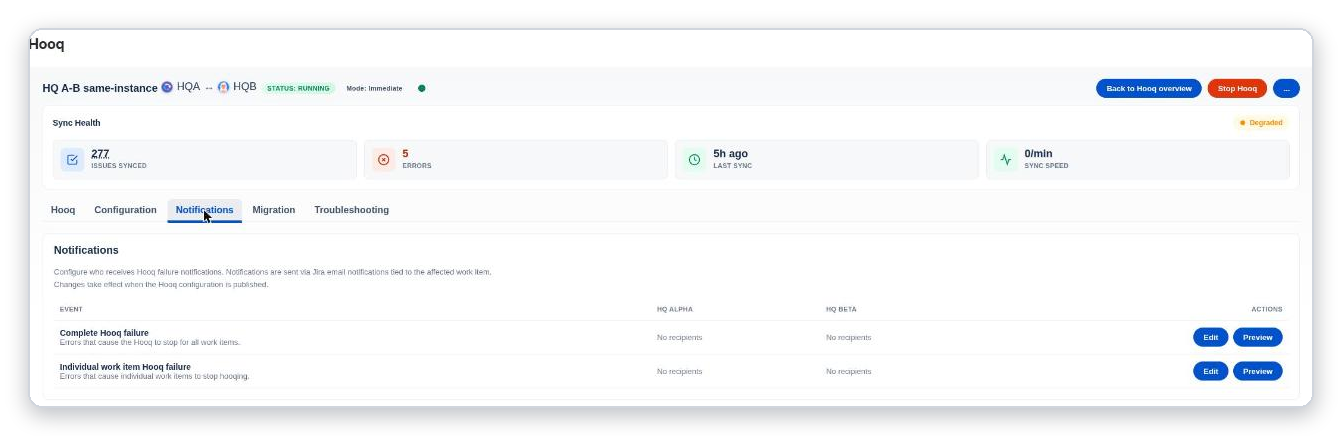
The Notifications tab: two events, each with recipients per project and the buttons Edit and Preview.
The two events
| Event | When it applies |
|---|---|
| Complete Hooq failure | Errors that cause the Hooq to stop for all work items. |
| Individual work item Hooq failure | Errors that cause individual work items to stop hooqing. |
Choose recipients
- On the row of the event, select Edit.
- For each project, choose Jira users, Jira groups or project roles, or type Email addresses. An invalid address is refused with Enter a valid email address.
- Save.
You should see: Notification settings saved. - Publish the configuration so that the change takes effect.
Select Preview to see what a notification looks like. A column that says This side is managed on the partner instance. is set up on the other instance.
Related pages
Want to raise a ticket? Click here (opens in a new tab)