Hooq help centre
How to bring in work items that are already paired
Goal
Register work item pairs that exist already, so that Hooq keeps them in step without copying the fields again.
Before you start
- A Hooq with both projects.
- The reference field is filled in on the work items of project A.
Steps
Open the Hooq, then Hooq tab, and select Refresh Project Details.
Open the Migration tab and check that Configuration Check shows both projects.
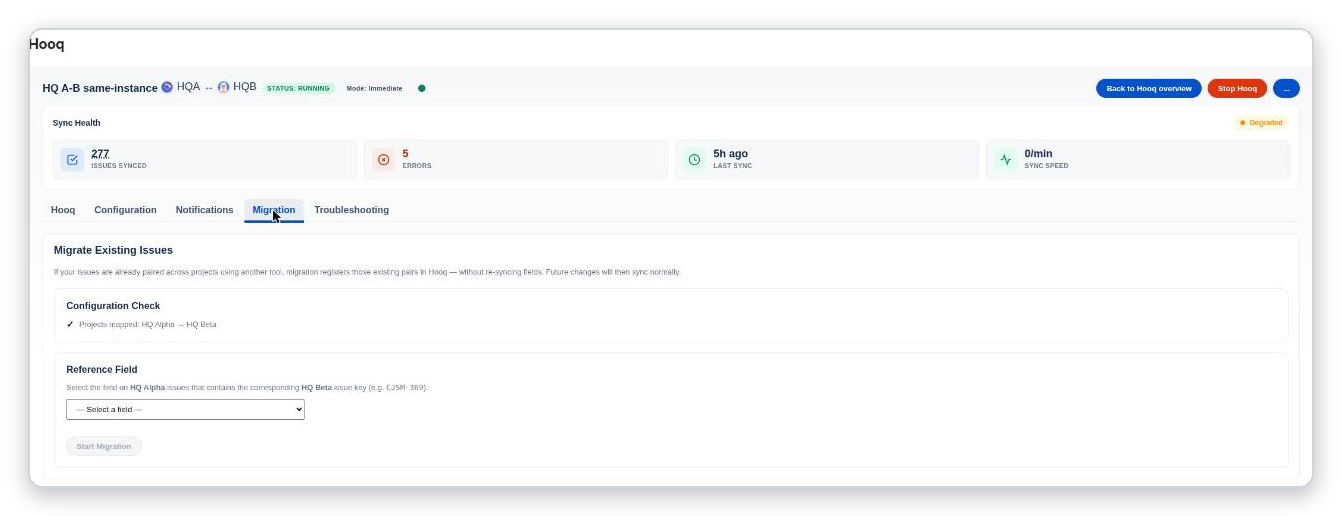
The Migration tab.
Choose the Reference Field.
Select Start Migration.
Expected result
The migration runs and ends as Completed. Future changes to those work items sync normally.
Common mistakes
- Choosing a field that does not hold the other work item's key.
- Starting before project details are refreshed: the field list can be empty.
Related pages
Want to raise a ticket? Click here (opens in a new tab)