
Create, edit and delete named groups of users, organisations and groups to reuse.
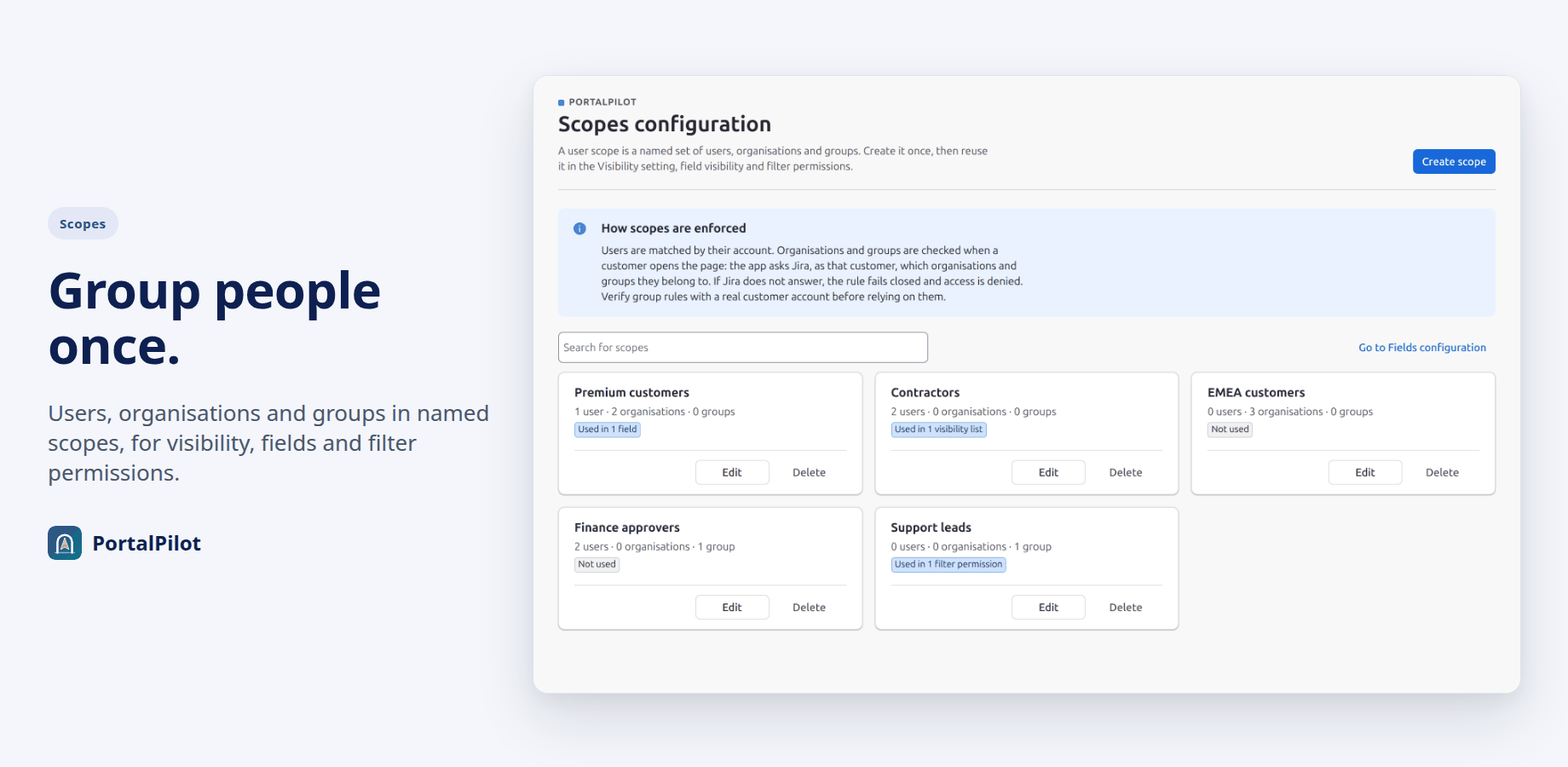
A user scope is a named set of users, organisations and groups. Create it once, then use it in Visibility, field visibility and the Save and share rules.
Create a scope
- Open Scopes configuration and select Create scope.
- Give it a name of up to 40 characters. Each name can be used once; case does not matter.
- Under Members, add users, organisations and groups. Type at least 2 characters to find users.
- Select Create scope.
The scope list
- Each scope shows how many users, organisations and groups it holds.
- A badge shows where it is used, for example “Used in 1 visibility list, 2 fields”. A scope that nothing uses shows Not used.
- Search for scopes filters the list by name.
Edit or delete a scope
- Edit changes the name and the members. The change applies everywhere the scope is used.
- Delete removes a scope that is Not used. A scope still used by a visibility list, a field or a filter permission cannot be deleted; remove it there first. Deleting cannot be undone.
How scopes are checked
Users are matched by their account. Organisations and groups are checked when a customer opens the page: the app asks Jira, as that customer, which organisations and groups they belong to. If Jira does not answer, the rule fails closed and access is denied. Check group rules with a real customer account before relying on them.
Limits
- Up to 50 scopes.
- Per scope: up to 100 users, 50 organisations and 50 groups. A scope cannot contain another scope.
- Per Visibility, field or filter-permission list: up to 20 scopes.
Related pages
Need help with PortalPilot? Contact us