

Choose columns and filters, rename fields and limit who sees them.
The page lists the eight built-in fields (Request type, Summary, Status, Space, Reporter, Key, Organisations and Created) and the custom fields Jira lets you see. Search for a field, or show only enabled or only disabled fields. Below the list, Previous and Next move between pages, and the rows-per-page control shows 10, 25 or 50 fields per page (View: 10, View: 25, View: 50). Default: 10.
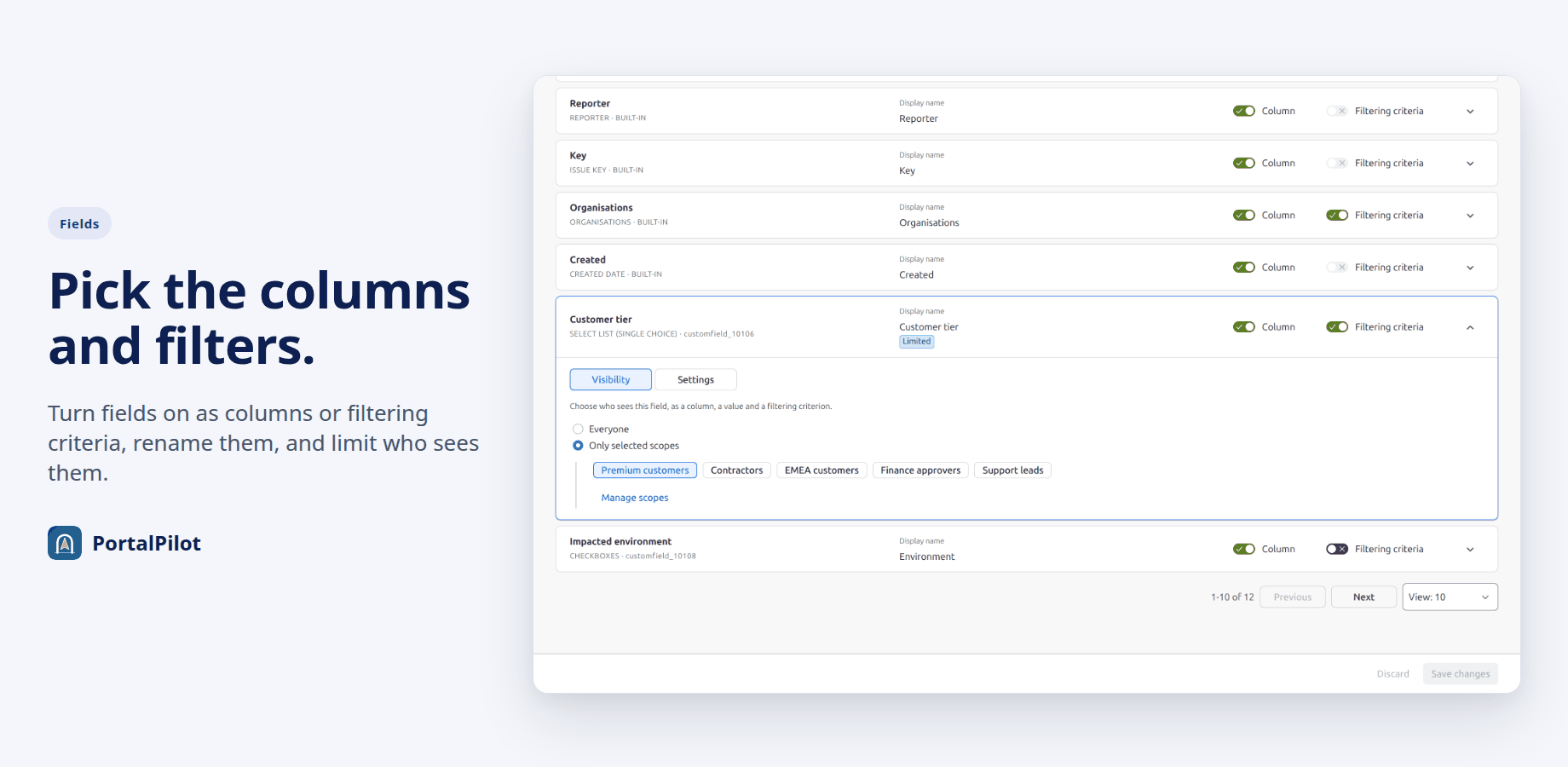
Column and Filtering criteria
- Column: offers the field in the customers’ column picker. Built-in fields are on by default; turning one off removes that column. Custom fields are off by default.
- Filtering criteria: offers the field as a filter under Choose filtering criteria. Request type, Space and Organisations are on by default and can be turned off. Status and Reporter filters are always offered. Summary, Key and Created have no filter. Custom fields are off by default.
Display name and visibility
Expand a field with the arrow at the end of its row.
- Settings: Display name, the name customers see, up to 40 characters.
- Visibility: Everyone (default), or Only selected scopes. With selected scopes, only members of those scopes see the field as a column, a value or a filter. Pick at least one scope, or the field is hidden from everyone. A restricted field shows a Limited label.
Save
Select Save changes at the foot of the page. Discard throws away unsaved changes.
Good to know
- Up to 30 custom fields can be configured. The limit counts every configured custom field: one with Column on, Filtering criteria on, a display name other than its Jira name, or Visibility limited to scopes. When 30 are configured, the other custom fields show a note and cannot be switched on. To free a slot, set a configured custom field back to its defaults: Column off, Filtering criteria off, its Jira name as the display name, and Visibility set to Everyone. There is no reset or remove button.
- A field shows a value only on requests whose form includes it.
- For a custom-field filter, customers choose from the values found in their own requests, plus Is EMPTY.
- Hidden fields are not listed, their values are not read, and filters on them are dropped. This is checked on the server.
- A configured field that Jira no longer has is shown as “Not found in Jira”.
Related pages
Need help with PortalPilot? Contact us