

A scheduled action runs once a day on the work items a search finds, for example to close work that has waited too long. Make one on the Scheduled actions tab with New scheduled action.
Settings
- Name and Search (JQL), for example
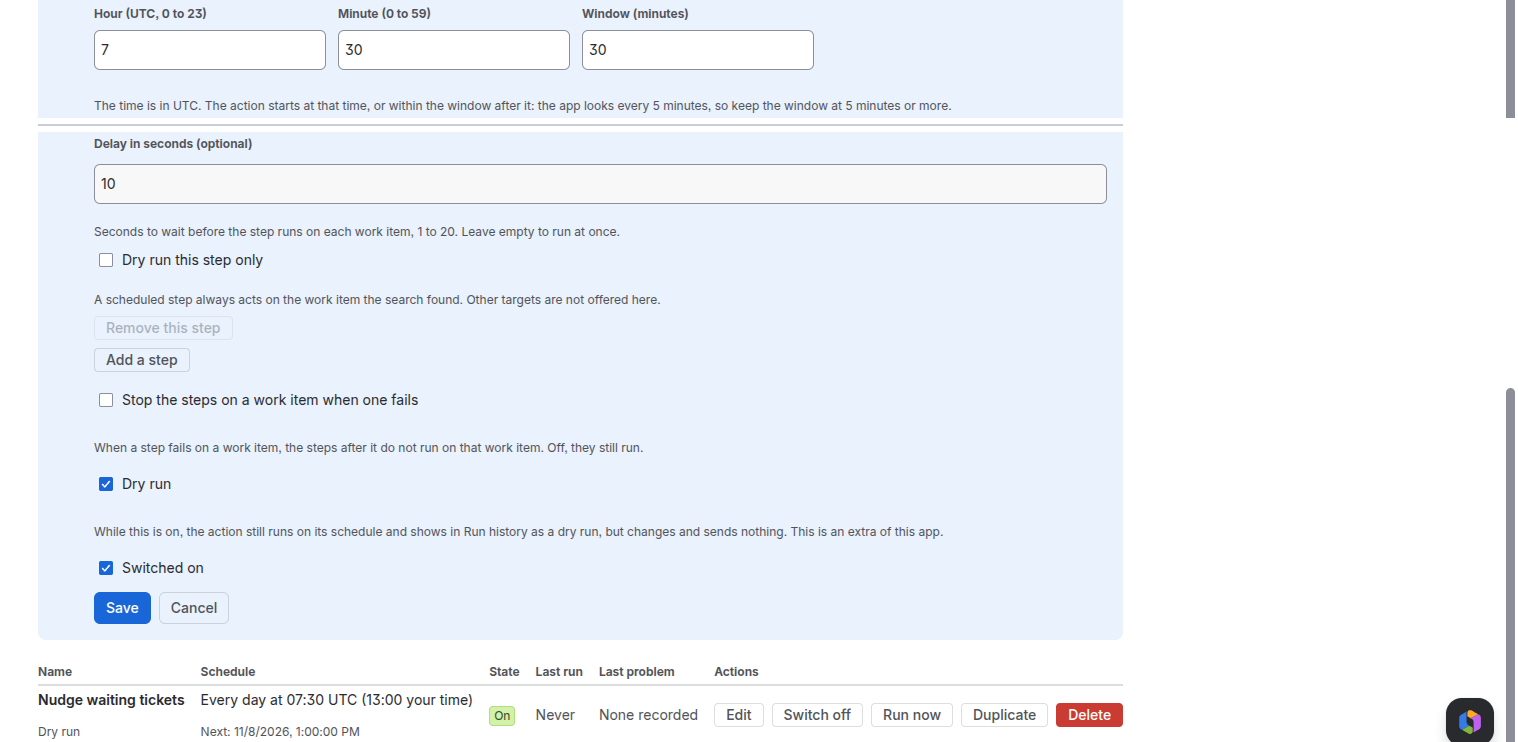
project = ABC AND status = "Waiting" AND updated < -3d. Check says whether Jira accepts it, how many work items match and the first keys. - Hour (UTC, 0 to 23), Minute (0 to 59) and Window (minutes): the time is in UTC. The app looks every 5 minutes, so the action starts at that time or within the window after it. The window must be at least 5 minutes, up to 180.
- Most work items per run: the most one run handles, in the order the search gives them.
- Steps: Move the work item to another status, Send an email or Run a shared action. Each step acts on the work item the search found, and has its own run-as, wait (1 to 20 seconds), condition and dry run.
- Stop the steps on a work item when one fails, Dry run and Switched on.
Who a step runs as
The app, A named person, The person in a user field or A person worked out by a template. There is no person who made a move, so that choice is not offered.
On the tab
- Each row shows the schedule and the next run, the state, Last run and Last problem.
- Run now starts it once, now, even when switched off, and keeps its dry-run setting. The result shows under Last run in a minute or two.
- Duplicate makes a switched-off copy. Delete cannot be undone; past runs stay in run history.
Limits
- At most 50 scheduled actions.
- Work items per run times steps must be 5,000 or fewer, or the save is refused: the same loop guard as event actions allows 5,000 changes in 10 minutes.
- A dry run still runs on schedule and shows in run history as a dry run, but changes and sends nothing.
Related pages
Need help with Simple Workflow Automation? Contact us