

Open it in Jira from Settings, Apps, Simple Workflow Automation. Only Jira administrators can open it. It has ten tabs.
| Tab | What it is for |
|---|---|
| Rules | Every rule across your workflows, with filters, a switch per rule, and copy and export. |
| Run history | What each post-function run did and why, by work item or by rule, with CSV export. |
| Health | Rules that use deleted fields or groups, transitions nobody can reach, and loops; plus missed runs. |
| Dry run | Put one workflow in dry run, or make it live again. |
| Shared actions | Rename, see where used, duplicate and delete shared actions. |
| Events | Make and manage event-based actions. |
| Scheduled actions | Make and manage scheduled actions. |
| Recipes | Common jobs and the rule that does each. |
| History | Who changed a rule, shared action or event action, and when. |
| Emergency stop | Turn every post-function, scheduled and event action into a dry run at once. |
Rules
- Scan workflows reads your workflows and lists the rules found. It changes nothing. The tab offers a new scan when the last one is over an hour old.
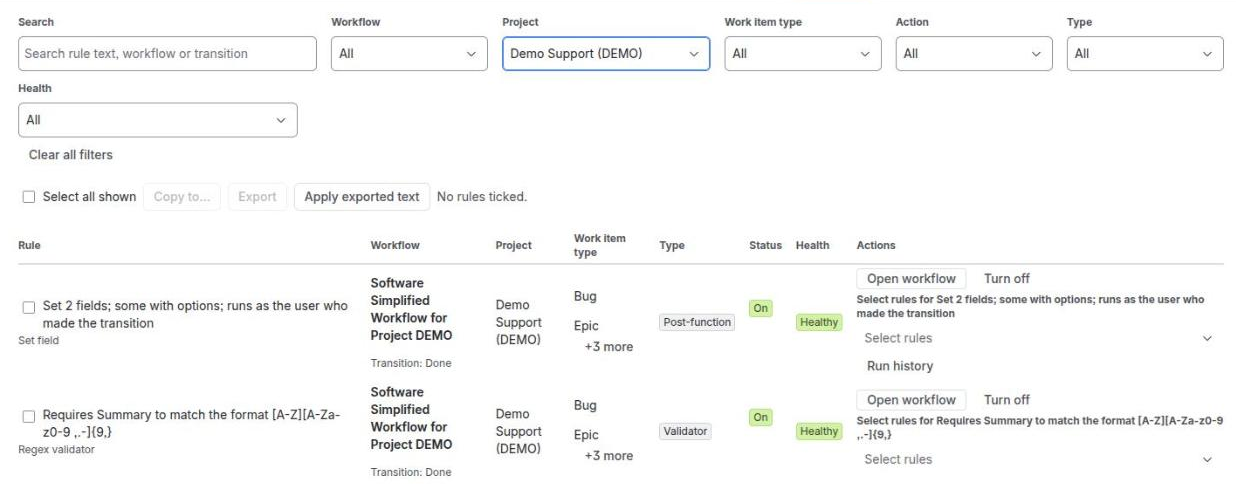
- Filters: Search, Workflow, Project, Work item type, Action, Type (conditions, validators, post-functions) and Health.
- Each rule has a tick box beside it, labelled with the rule’s title. Select all shown ticks every rule the filters show.
- The Actions column has Open workflow, Turn off or Turn on, Run history (on post-functions), and a Select… menu. Its two choices, This transition’s rules and This workflow’s rules, tick every rule on that rule’s transition or in its workflow.
- Tick rules, then Copy to..., Export or Apply exported text. See Copy, export and apply.
Run history
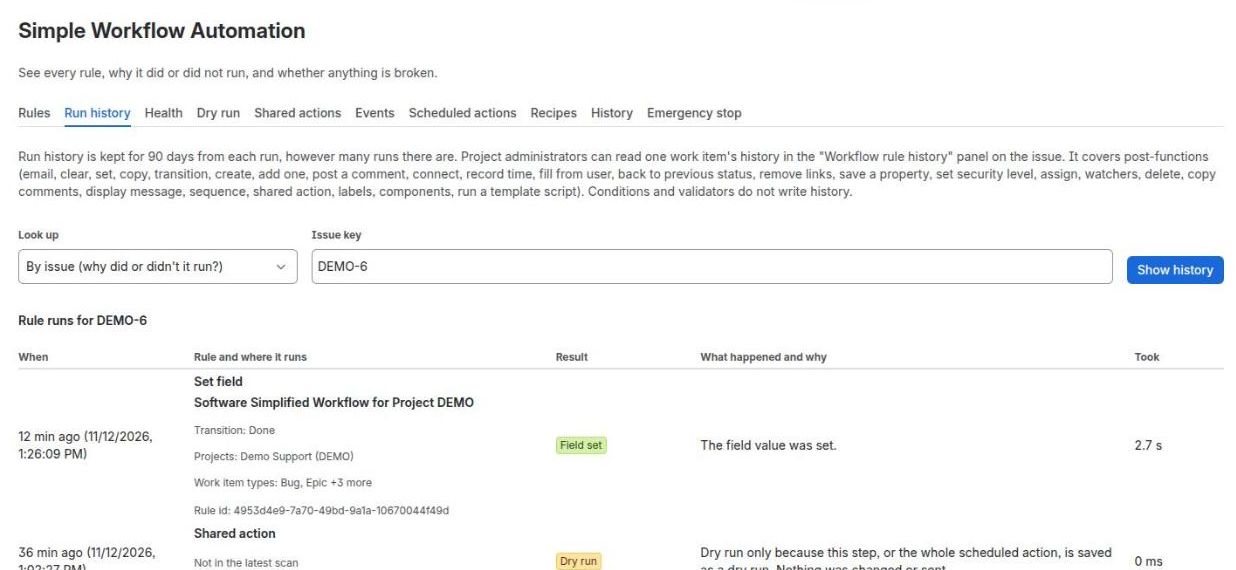
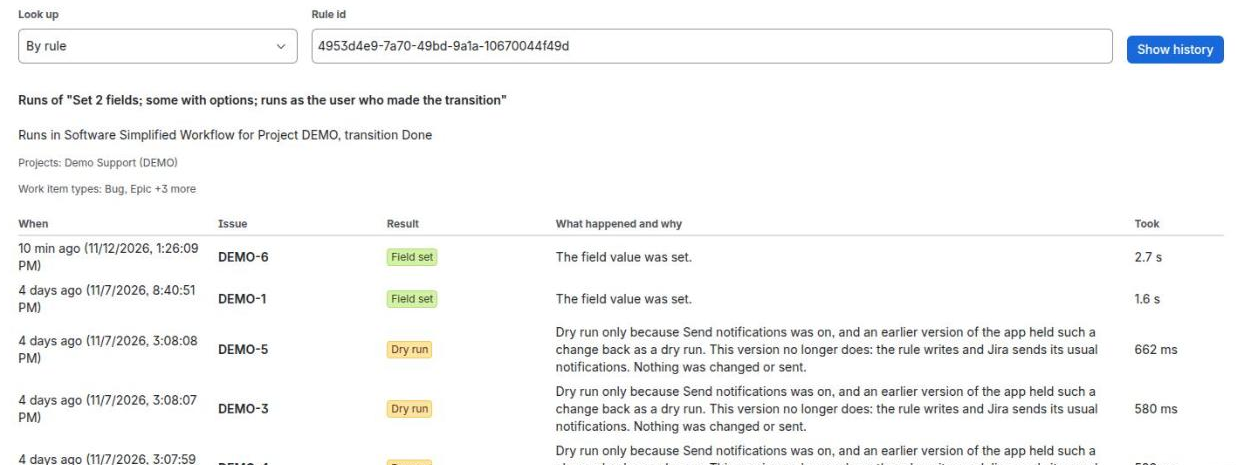
- Look up by Issue key or by Rule id (from the Rules tab), then Show history. Columns: When, the rule or work item, Result, What happened and why, and Took. Load older runs shows more.
- Export CSV gives the rows as CSV text with a Copy button: time, rule, work item key, outcome, reason code, duration in milliseconds, and run as (app, current or specific, never an account). Up to 5,000 rows, newest first.
- Only post-functions, event and scheduled actions are recorded. Conditions and validators run inside Jira and are not listed.
- Each run is kept for 90 days, then removed automatically.
Health
- Run health check reads the last scan and your workflows and changes nothing. It lists each problem or warning, where it is and what to do, with Open workflow.
- It finds rules whose settings cannot be read, fields or groups that no longer exist, transitions nobody can reach, transitions a rule names that the workflow does not have, and loops of automatic transitions. Switched-off rules are ignored.
- Missed runs: once an hour the app compares the status changes it saw with its run records, and lists a rule that should have run and left no record after 90 minutes, or a run that started and never finished. It can email Jira administrators about each new one.
Dry run
Lists your workflows with their state: Live, Dry run (this workflow) or Dry run (everything). Switch to dry run and Go live again take effect on the next move, with no workflow edit. See Dry run.
Shared actions
See Shared actions.
Events
See Event-based actions.
Scheduled actions
See Scheduled actions.
Recipes
Common jobs, each with the rule to use, the transition and numbered steps:
- Require a comment when resolving
- Email the reporter when work is done
- Clear the assignee when a work item is reopened
- Fill a field on create, such as a Description template
- Add a watcher
- Add a label
- Create a sub-task
History
- Who changed a rule, shared action, event action or scheduled action, and when, newest first. Changes are kept for 90 days.
- Each entry says what changed (Added, Edited, Removed, Switched on, Switched off), where (workflow editor, shared action, event action, scheduled action or admin page) and the workflow and transition. Filter by Workflow and Rule.
- Edits made without this app are not recorded.
Emergency stop
- Run all post-functions as a dry run (emergency stop): every post-function, scheduled action and event action logs what it would do and changes and sends nothing. Conditions and validators keep working.
- You confirm before it turns on or off, and the tab shows when it last changed. No workflow edit or deploy is needed.
- Turn it off to go back: post-functions act again on the next move, scheduled actions on their next run, event actions on the next event.
Related pages
Need help with Simple Workflow Automation? Contact us