

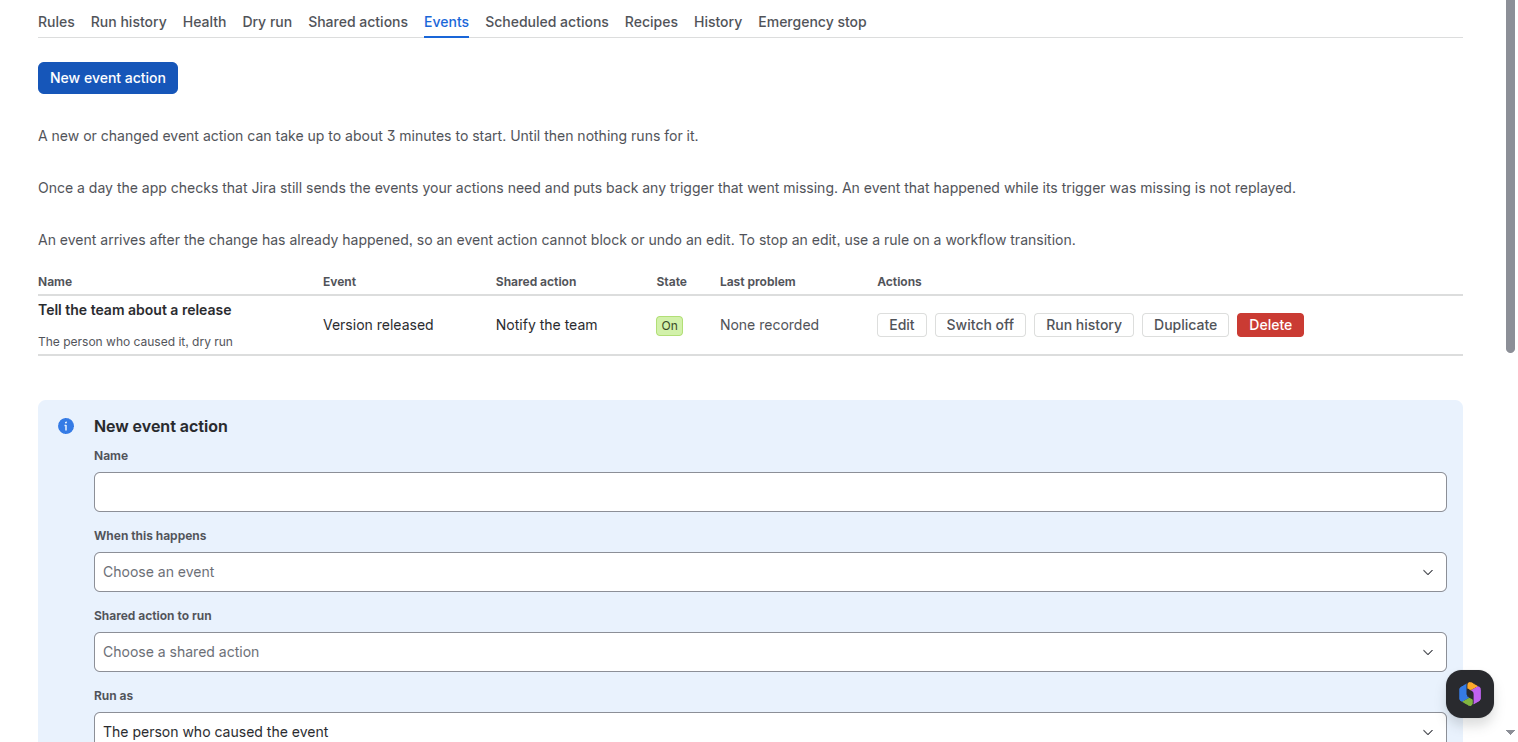
An event action starts when something happens in Jira, not only on a transition, and runs one shared action. An event arrives after the change has already happened, so an event action cannot block or undo it.
Before you start
An event action runs a shared action, so make one first. New event action on the Events tab stays off until a shared action exists.
The events
| Group | Events |
|---|---|
| Work item | Work item created, updated, deleted, assigned, transitioned, resolved, reopened, closed and moved; Field value changed |
| Comment | Comment added, Comment deleted |
| Link | Link created, Link deleted |
| Worklog | Worklog created, updated and deleted |
| Attachment | Attachment added, Attachment deleted |
| Project | Project created, updated, moved to trash, deleted, archived, restored from archive and restored from trash |
| Version | Version created, updated, released, unreleased, archived, unarchived, moved, merged and deleted |
| Sprint | Sprint created, started, updated, closed and deleted |
| User | User created, updated and deleted |
Project, version, sprint and user events come with no work item, so you write a search and the steps run on what it finds. The search can use tokens from the event, such as {{event.version.id}} or {{event.sprint.id}}.
Settings
- Name, and When this happens: the event. Field that changes for Field value changed.
- Only in these projects (optional) and Only for these work types (optional): up to 50 each.
- Which work items to run on: the search, for events with no work item.
- Shared action to run, and Run on: the work item itself, its parent, its sub-tasks, its epic, the work items in its epic, or its parent or children in the hierarchy.
- Run as: The person who caused the event, A named person or The app.
- Ignore changes made by this app: on by default, so the action does not start itself again.
- Dry run: only log what it would do, Stop at the first step that fails, Run only if (optional) (a Jira expression, such as
issue.status.name == "Done") and Wait before running, in seconds (optional): 1 to 20.
What to expect
- A new or changed event action can take up to about 3 minutes to start.
- Once a day the app checks that Jira still sends the events it needs and restores a missing one. Events missed in the meantime are not replayed.
- Loop guard: if one event action starts more than 1,000 times, or makes more than 5,000 changes, in 10 minutes, it is switched off and Jira administrators get an email. This usually means the action changes something that starts it again. Switch it on again once fixed.
- Each run shows in run history; Run history on the row jumps there.
Related pages
Need help with Simple Workflow Automation? Contact us