

On the Rules tab, tick the rules you want, all from one workflow, then choose Copy to..., Export or Apply exported text. To tick a whole transition or workflow at once, open a rule’s Select… menu in the Actions column and choose This transition’s rules or This workflow’s rules.
Copy to other workflows
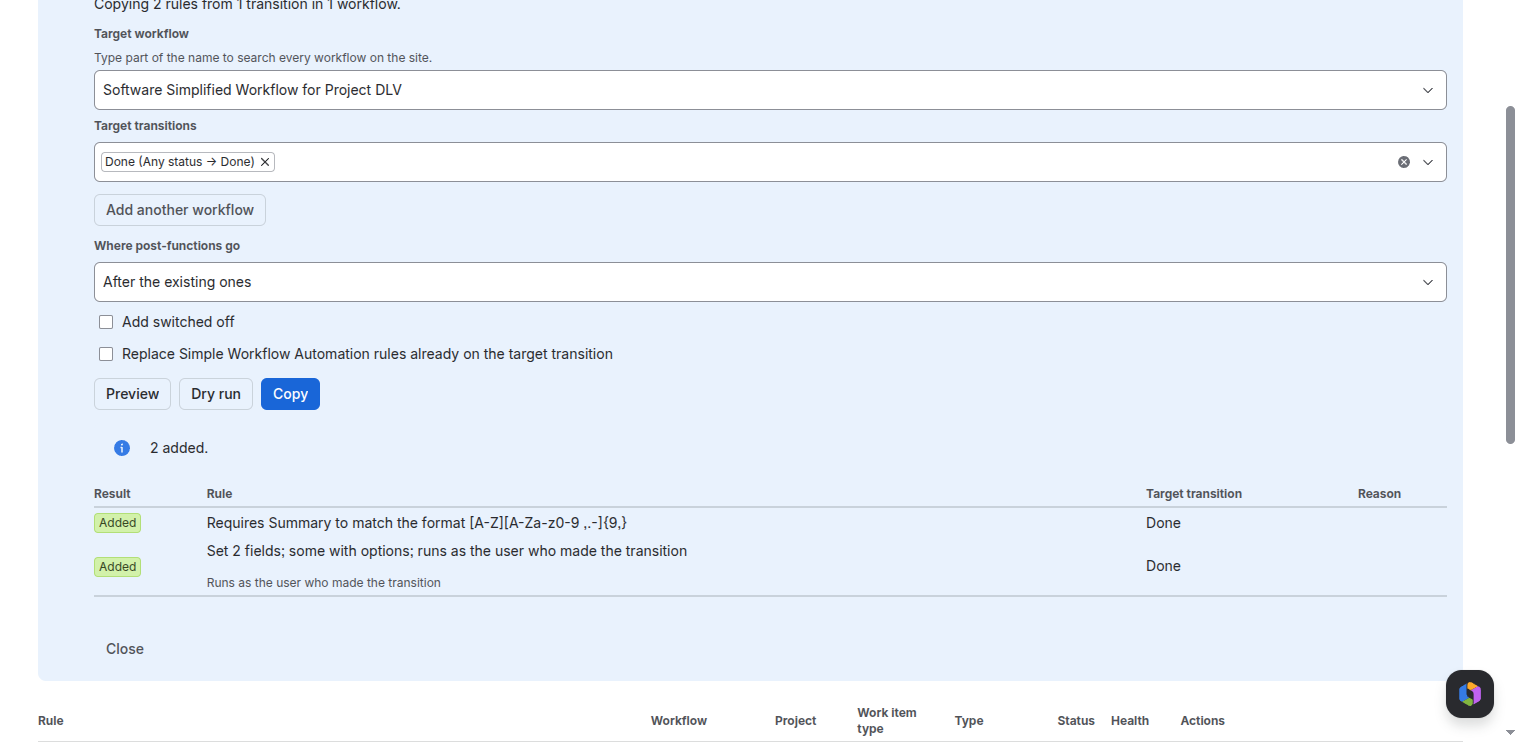
- Choose Copy to... and the target workflow and transitions. Add another workflow adds more, up to 10 at a time.
- Choose the options: Where post-functions go (after or before the existing ones), Add switched off, and Replace Simple Workflow Automation rules already on the target transition.
- Preview shows what would happen to each rule, with nothing written. Dry run asks Jira to check the change without saving it.
- Copy writes it. Close the workflow editor for each target workflow first.
Export and apply as text
- Export shows the rules as text, with a check code. Copy the text to keep it or move it to another site.
- Apply exported text: paste it, choose Read text, pick the target workflow, and say which transition each one goes to (matched by name, or Leave out). Then Preview, Dry run and Apply, as for a copy.
What to expect
- Each rule is shown as added, unchanged, removed or refused, with the reason. An identical rule already on the target is left as it is and not added twice.
- Without Replace, rules already on the target are kept. With Replace, the target’s own Simple Workflow Automation rules that are not in the copy are removed. Jira’s rules and other apps’ rules are never touched.
- If the target workflow changed after the preview, the write is refused, so preview again.
- Each target workflow stands alone: one refusal does not stop the rest. If time runs short, the remaining workflows say Not done.
- Each workflow saved adds one entry to History.
Related pages
Need help with Simple Workflow Automation? Contact us