

A condition decides whether a transition is offered. When it is not true, Jira hides the transition. Jira shows no message for a condition, so if people need to know why, use a validator instead.
| Condition | Offers the transition when |
|---|---|
| Allowed statuses | The work item is, or is not, in chosen statuses. |
| Related work items | Linked work items, sub-tasks, the parent, the epic or its stories pass a test. |
| Allowed people | The person making the move, or the person in a user field, matches chosen people, groups, roles or fields. |
| Expression gate (build your own) | Rows you build, or a Jira expression you type, are true. |
| Only at certain times | The move is made on chosen days and hours, in a chosen time zone. |
Allowed statuses
- Statuses: choose at least one. The transition is available only when the work item is in one of them.
- Reverse condition: the transition is available only when the work item is not in one of them.
Related work items
Which form chooses between two ways of checking:
- Linked issues, with a Mode: Require certain linked issues (hidden when no matching item exists), Check linked issues (hidden when a matching item fails the extra check), or Forbid certain linked issues (hidden when any matching item exists).
- Linked issue status, with a mode such as All linked issues must be in the statuses or No linked issue may be in the statuses, and the statuses to check.
- Issue link type: a link type in either or one direction, or Sub-tasks, Parent, Stories in the epic, Epic of the story and the combined choices. These are listed separately because Jira does not treat them as link types.
- Issue type: leave empty for any type. Statuses: leave empty to mean any status.
- Additional condition: None, At least one linked issue must satisfy or Every linked issue must satisfy, then rows from the no-code builder. Each row says whether it is about This work item or The linked work item.
Allowed people
- Who is checked: The person making the transition or The person in a user field. With a field, The field can be empty lets the rule pass when the field holds nobody.
- Criteria: All of the criteria must be met or Any one of the criteria is enough. Reverse the result turns it around.
- Criteria: Is the reporter, Is the assignee, Is a watcher, Is a voter, and pickers for Users, Groups, Project roles and User fields. Choose at least one.
- Condition for each user (optional): a Jira expression, where
selectedUseris the user being checked.
Expression gate (build your own)
- Choose No code to build rows, or Jira expression to type one. In No code, a read-only box shows the expression made from your rows, with Copy, and Check with Jira tells you whether Jira accepts it. That check never blocks the save.
- Description (optional) is shown to people who edit the rule and changes nothing.
- An expression the builder cannot read stays in Jira expression mode.
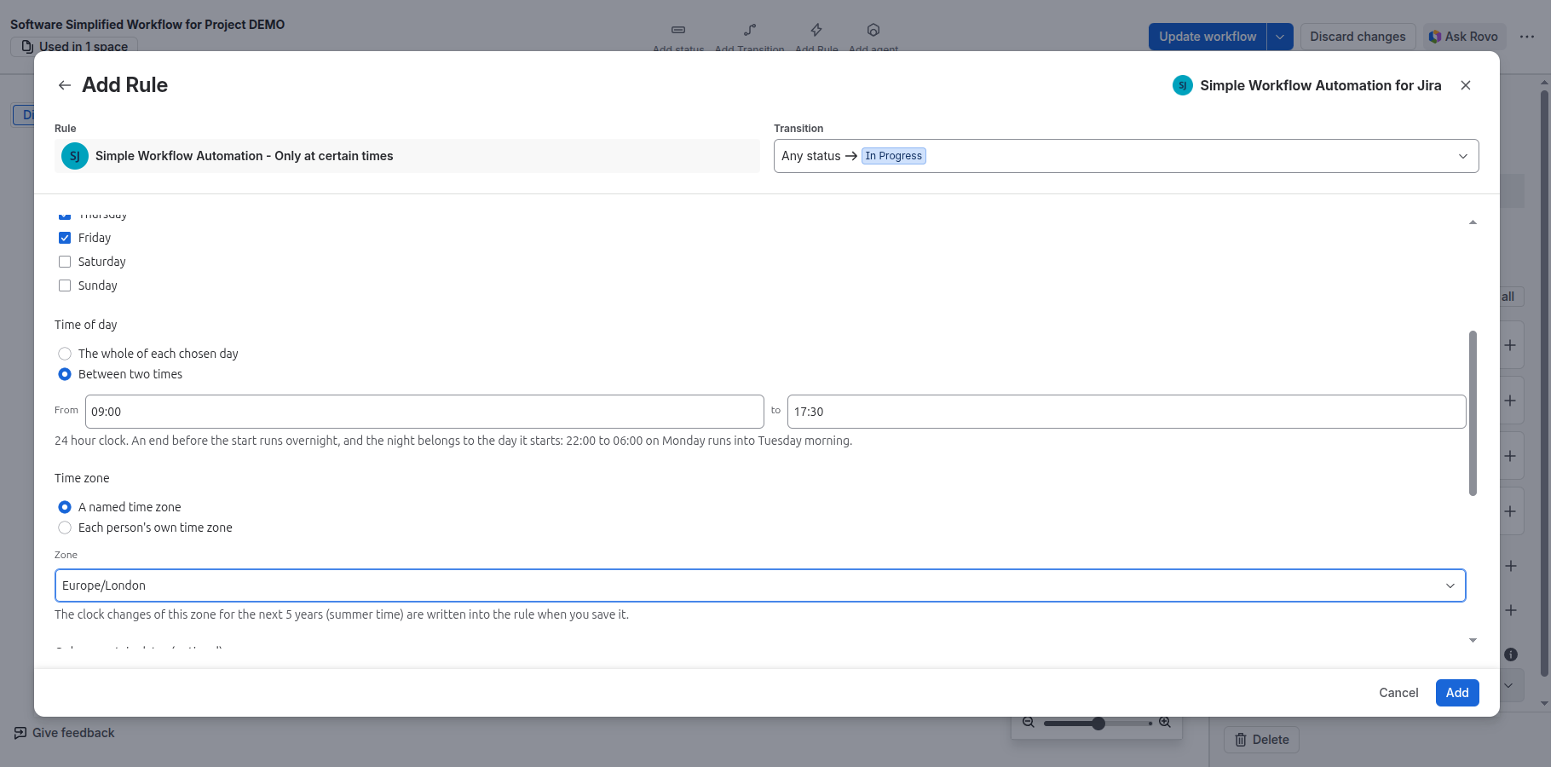
Only at certain times
- Days: tick at least one, Monday to Sunday.
- Time of day: The whole of each chosen day, or Between two times in 24-hour time. An end before the start runs overnight and belongs to the day it starts.
- Time zone: A named time zone, such as Europe/Berlin, or Each person’s own time zone. People can change their own zone, so the second choice cannot keep anyone out.
- Only on certain dates (optional): add date ranges; both dates count.
- Reverse: Offer the transition everywhere except this window.
- With a named zone, the clock changes for the next five years are saved in the rule. The screen warns you when less than a year of them is left; save the rule again to renew them.
Where they work
Only at certain times: Works in team-managed projects too. The other four conditions: Company-managed projects only. See Team-managed projects.
Related pages
Need help with Simple Workflow Automation? Contact us