

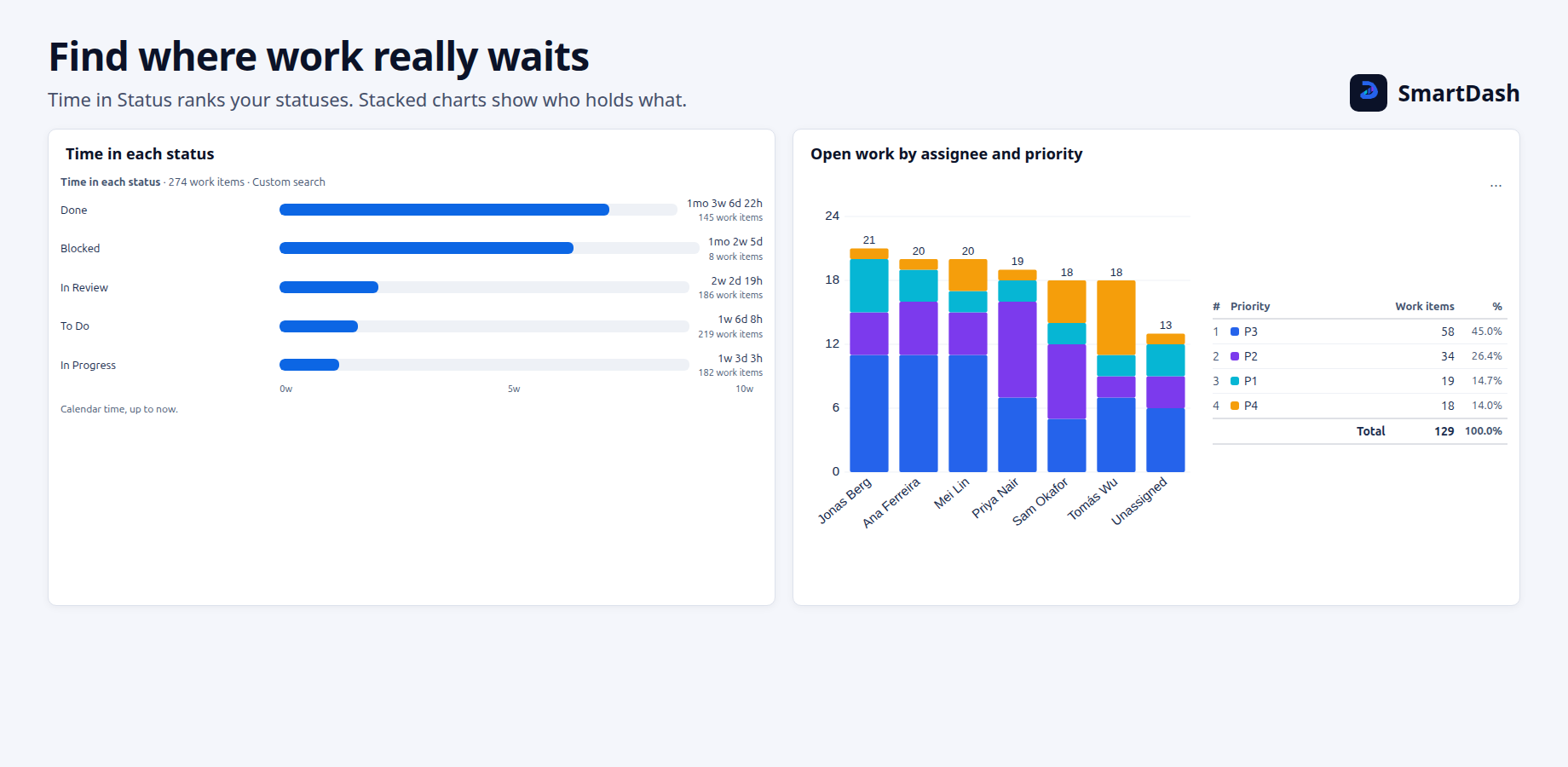
The Time in Status widget answers how long work spent in each status, read from each work item's history. It can show the time per status, per work item, per person or per group, what is stuck now, and a trend.
Views
Pick a View first. The other tabs follow it.
| View | Answers |
|---|---|
| Per status (default) | How long work items stay in each status: total, average, median, 85th percentile, shortest, longest, or number of stays. |
| Per work item | Each work item's time in each status, 10, 25 or 50 to a page, with a Total column. Only the work items of the page shown are read. |
| Per person | Time per person and status, by the current assignee or by who held the work item during each stay. |
| Per group | The same, grouped by any field. |
| Stuck now | Open work items, longest first. Mark them when they pass a limit. |
| Trend | Cycle or lead time by week, month or quarter, as a line or bars. |
Settings
| Tab | What it holds |
|---|---|
| View | The view and its own choices. For Per status: Statistic, Order (Largest first or Smallest first) and Show as (Bars or Table). Also Auto refresh, the options menu and Allow export. |
| Source | Where the work items come from. |
| Statuses | All statuses, in workflow order, Cycle time (leaves out To Do and Done), Lead time (leaves out Done), or Only the statuses I pick, up to 12. |
| Time format | The units, their order and the smallest unit shown. |
| Display | Per work item only: the columns, sorting and page size. |
Per status, Per person and Per group have the View, Source, Statuses and Time format tabs. Stuck now and Trend have View, Source and Time format.
Stuck now
Under Limit, in Mark work items stuck for more than, set one limit For every status, or a limit for each status you add. Work items stuck longer than the limit are marked. Leave it off to list them, longest first.
Time format
Times read like 1y 2mo 1w 3d 4h 5m 6s. Choose the order of the units and the smallest unit shown. Times use calendar time up to now, and are rounded down.
Limits
- "First 500 work items": views other than Per work item read up to 500 work items and their histories.
- "Some histories were too long to read in full.": a few work items have very long change histories.
- Sorting in Per work item sorts the page shown.
On a new Jira dashboard, a Time in Status chart scrolls its bars inside the widget, and the note under them stays in view.
Related pages
Need help with SmartDash? Contact us