

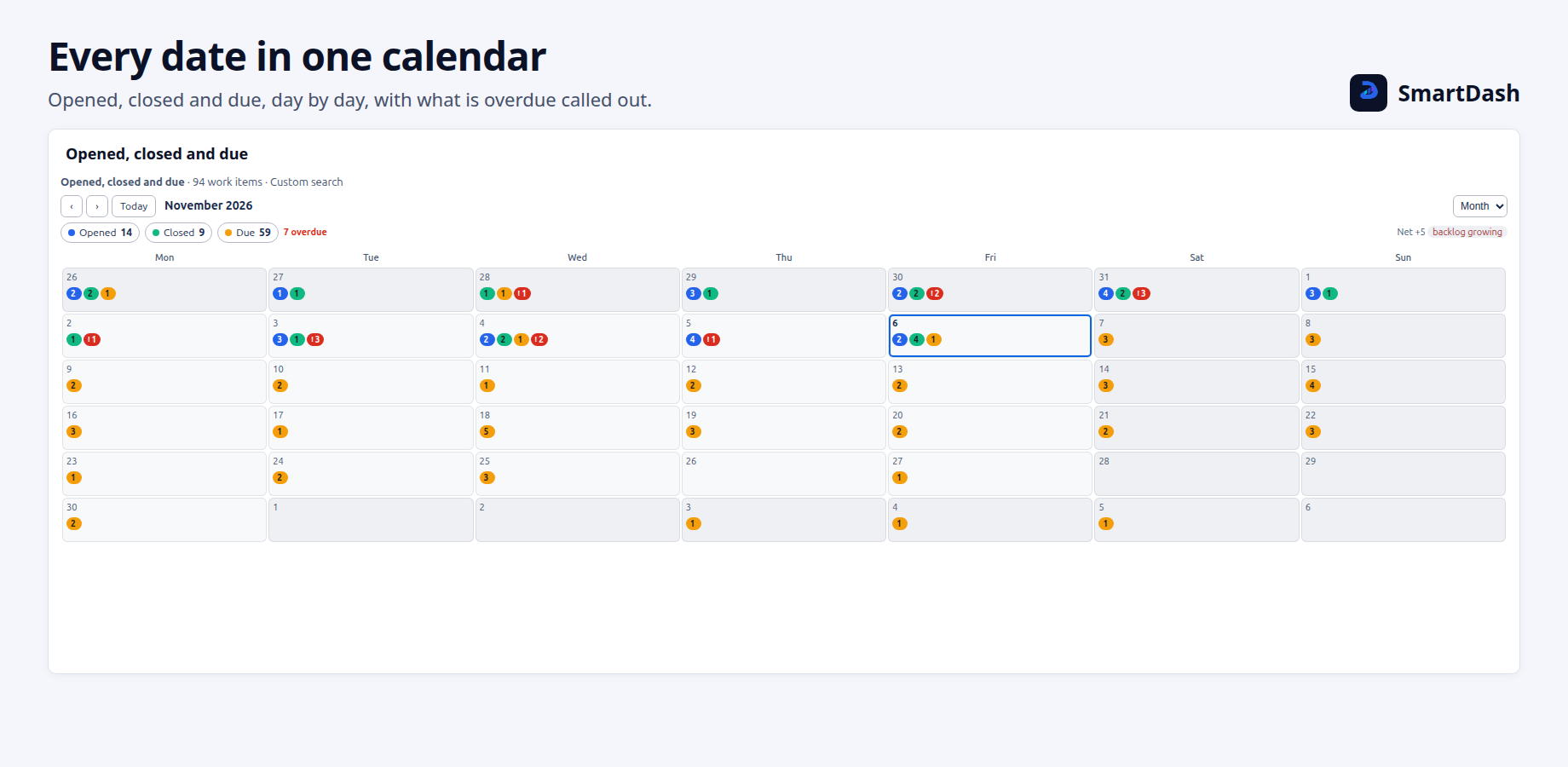
The Calendar widget shows work items on the days they happened: created, resolved, due, or any date field, as up to six layers. On service projects it can also show SLA goals that were met, missed or are running.
Settings
| Tab | What it holds |
|---|---|
| View | The view it starts as, the first day of the week, the layer the Year view shows, Open buttons, Auto refresh, the options menu and Allow export. |
| Source | Where the work items come from. |
| Layers | Up to 6 layers, SLA layers and the net. |
| Split | A table under the calendar, split by a field. |
Layers
The defaults are Opened (Created), Closed (Resolved) and Due (Due date, with overdue marked). Each layer has:
- a name (up to 40 characters) and a colour,
- the day: any date field, custom ones included,
- what to show: Count work items, or Add up a number field such as Story Points,
- Only some work items: extra JQL for that layer alone, up to 500 characters,
- Mark overdue (Due date layers): due before today and not done, counted apart, in red.
Viewers can hide a layer for themselves from the chips above the calendar.
SLA layers
On a service project, Add an SLA layer… lists the SLAs the source runs. An SLA layer is drawn on the days its goals were met, missed or fall due, and shows Met, Not met and Running. Untick a state to leave it out; one stays ticked.
If no SLA can be added, the tab says why, for example "This source has no SLAs." or "Every SLA of this source is a layer already."
Net
With two or more plain layers, Show the net draws one layer minus another over the days shown. Read as backlog says "backlog growing" or "shrinking". Use it for opened minus closed.
Viewing
- Month, Week or Year, with Previous, Next and Today. Viewers can switch the view; nothing they do is saved.
- Year shows one layer, darker on busier days. It needs a layer that is not an SLA layer.
- Click a day to see each layer's count, with Open buttons that open those work items in Jira. Open buttons can be turned off.
- Split by adds a table under the calendar, with a row for each value of a field (Priority by default). Click a number to show only those work items on the calendar.
Limits
A layer with more than 2,000 work items uses Jira's own count for each day, which can be a little off, and the Calendar says so. When a layer cannot be counted that way, it says Only the first 2000 work items were read, and that layer's numbers are too low. Narrow the source.
Related pages
Need help with SmartDash? Contact us